Connect new account
✕If you have multiple social networks accounts (like Facebook, Twitter, Google) - you can link your social accounts with your account at our store. This will allow you to access the website more conveniently!

You have no items in your shopping cart.

The Magento 2 Layered Navigation provides customers with faster and more convenient product filtering, powered by AJAX technology. Your website users will get instant results without reloading the page when filtering products and selecting filter attributes.

| Product Details | |
| Version: | 4.5.18 (Oct 09, 2026) |
| Documentation: | User Guide |
| Live Demo: | View |
| Code Visibility: | 100% Open Code |
| Supported CE - EE: |
CE 2.3.x - 2.4.9 EE 2.3.x - 2.4.9 |
| License: | Single Magento Installation |
| Free Updates & Support: |
1 year (Details)
No subscriptions |
| Refund Policy: | 60 Days (View) |
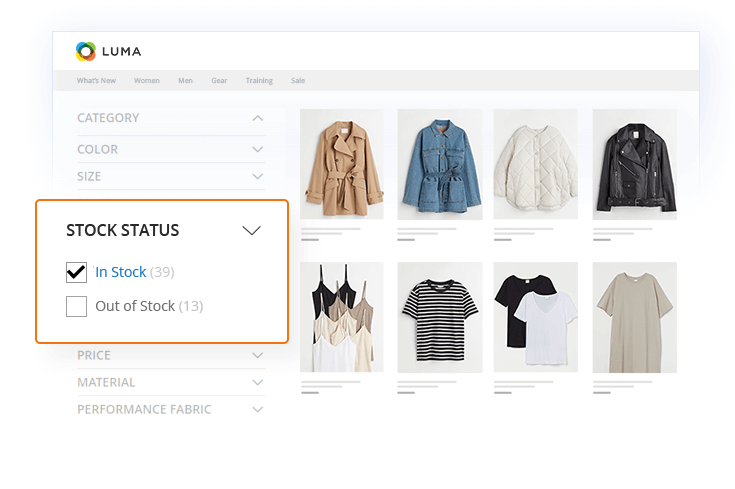
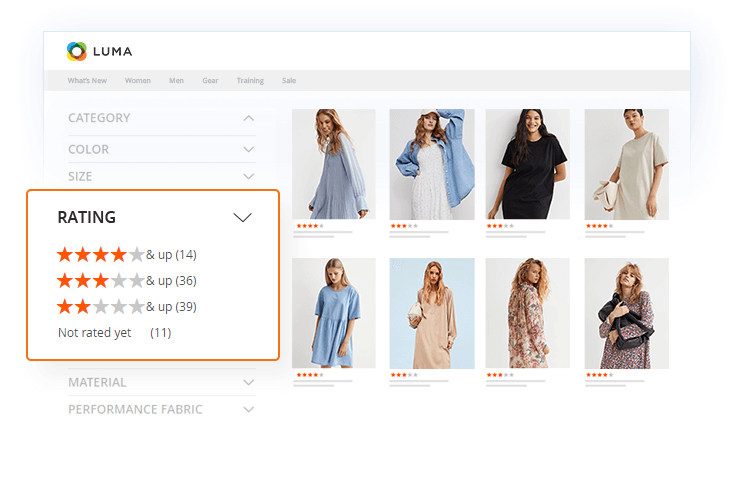
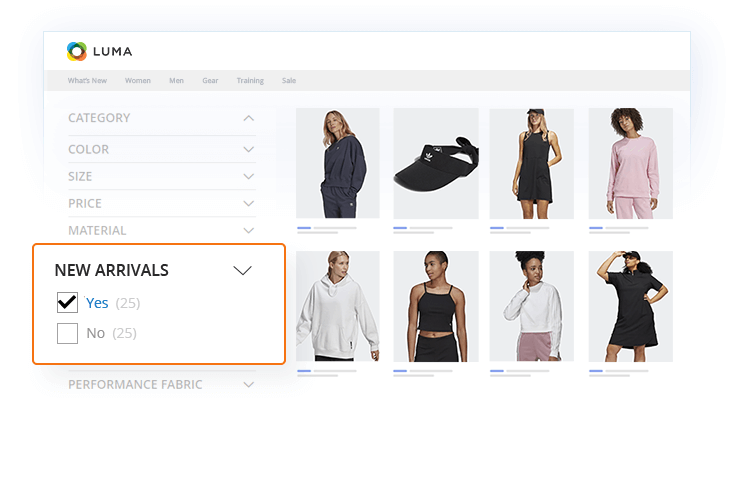
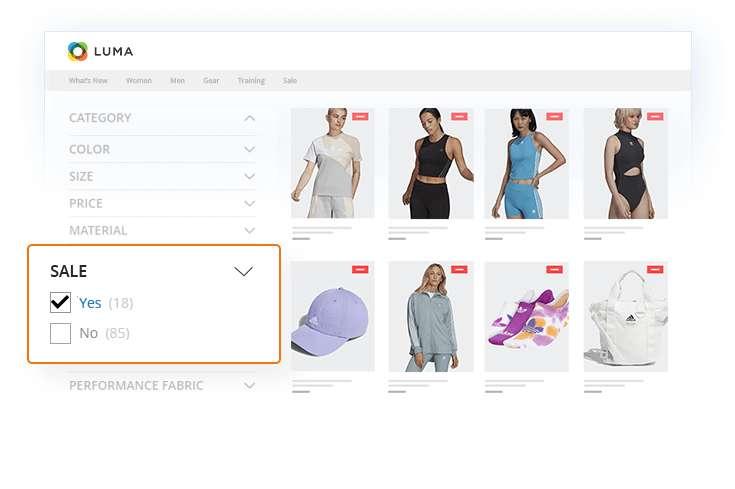
The Magento 2 Product Filter extension saves your customers time by sorting product collections according to selected criteria. Shoppers can filter products by attributes like color, price range, manufacturer, size, rating, stock status, sale, new arrivals, or any custom attribute or configurable option.
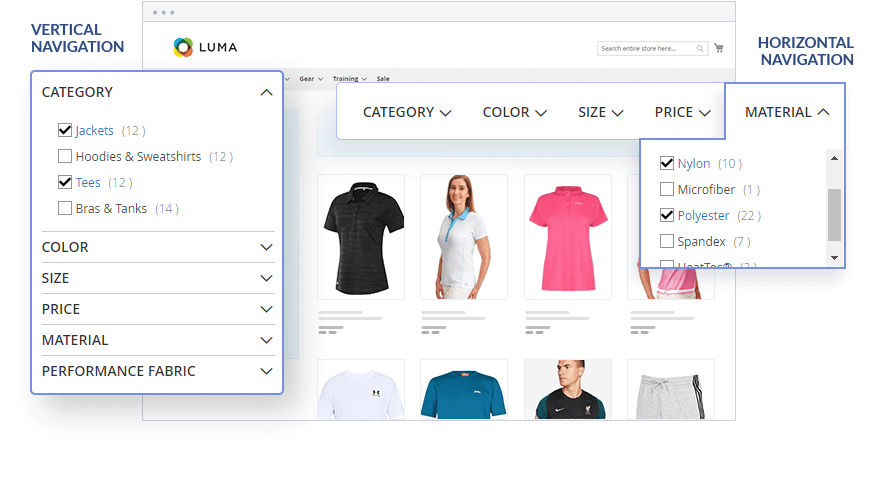
Additionally, the Magento 2 product filter i is designed to refresh the product list with AJAX, without reloading the category page. It works fast with large databases of 80,000+ SKUs and can be displayed in the top toolbar (horizontal layered navigation) or left sidebar (vertical layered navigation).
Finally, admins will appreciate the drag-and-drop interface to arrange filter attributes, group similar options, and configure category-specific filters. With Plumrocket Magento 2 Layered Navigation installed on your store, customers enjoy faster, easier product discovery — resulting in higher conversions, lower bounce rates, and SEO-friendly filter URLs that bring more organic traffic to your category pages.
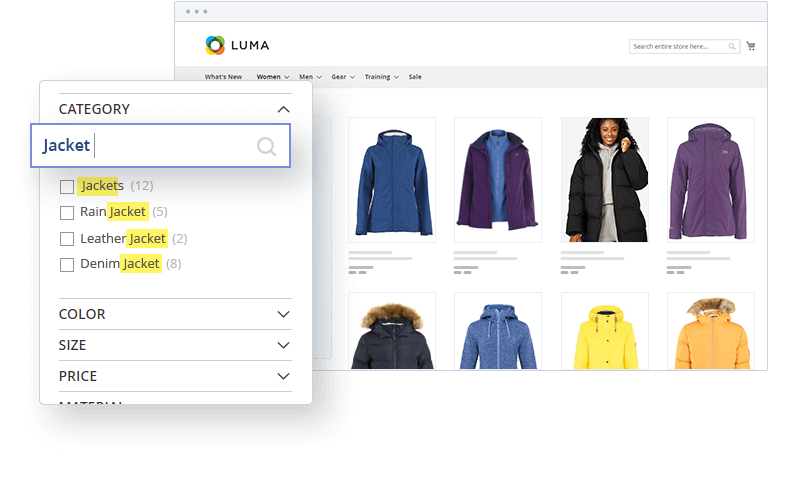
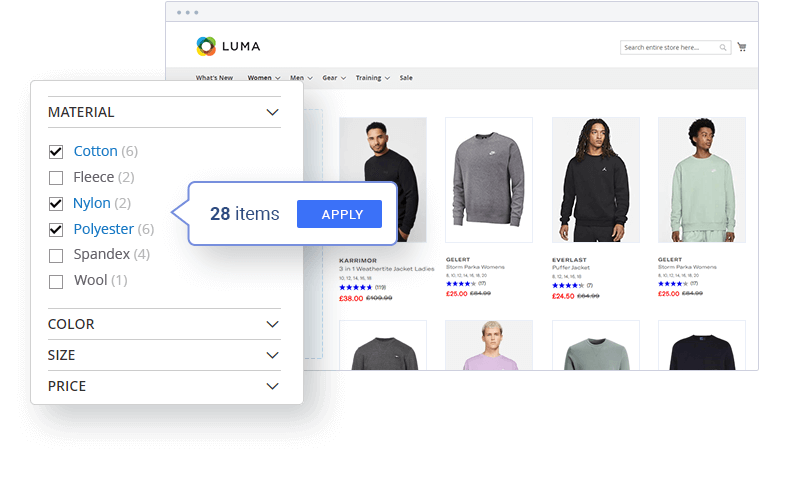
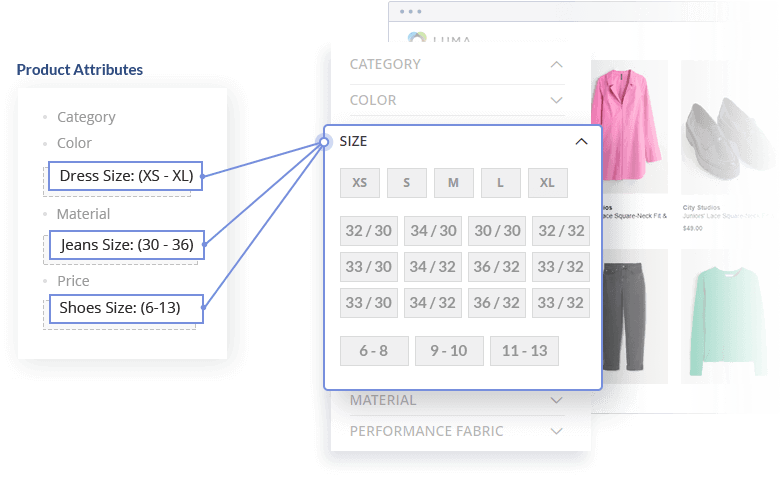
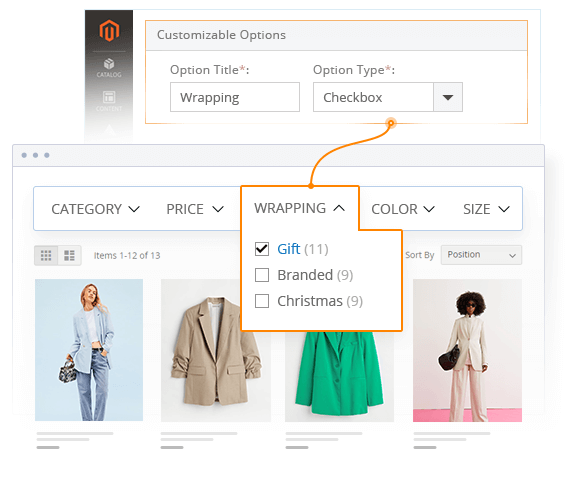 Filtering by Customizable Options
The Layered Navigation extension for Magento 2 creates filters based on customizable options. Choose which ones to display, specify their order, and apply to a category. Thanks to custom options indexing, this sophisticated functionality works ultra-fast.
Filtering by Customizable Options
The Layered Navigation extension for Magento 2 creates filters based on customizable options. Choose which ones to display, specify their order, and apply to a category. Thanks to custom options indexing, this sophisticated functionality works ultra-fast.
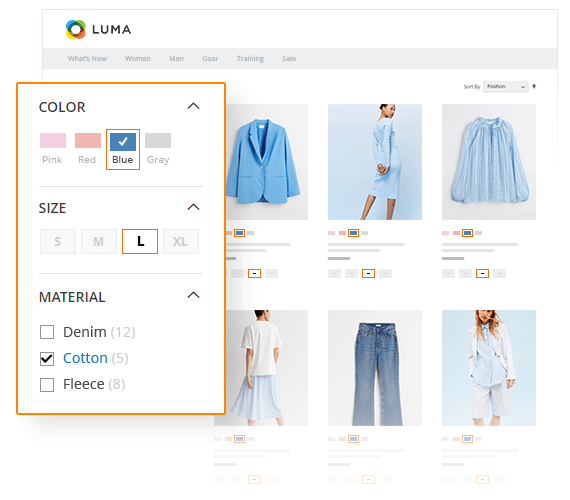 Multi-Select Filter Options
Speed up product filtering by letting customers select multiple values at once within one filter attribute (e.g. search for both “red” and “yellow” in the Color attribute).
Multi-Select Filter Options
Speed up product filtering by letting customers select multiple values at once within one filter attribute (e.g. search for both “red” and “yellow” in the Color attribute).
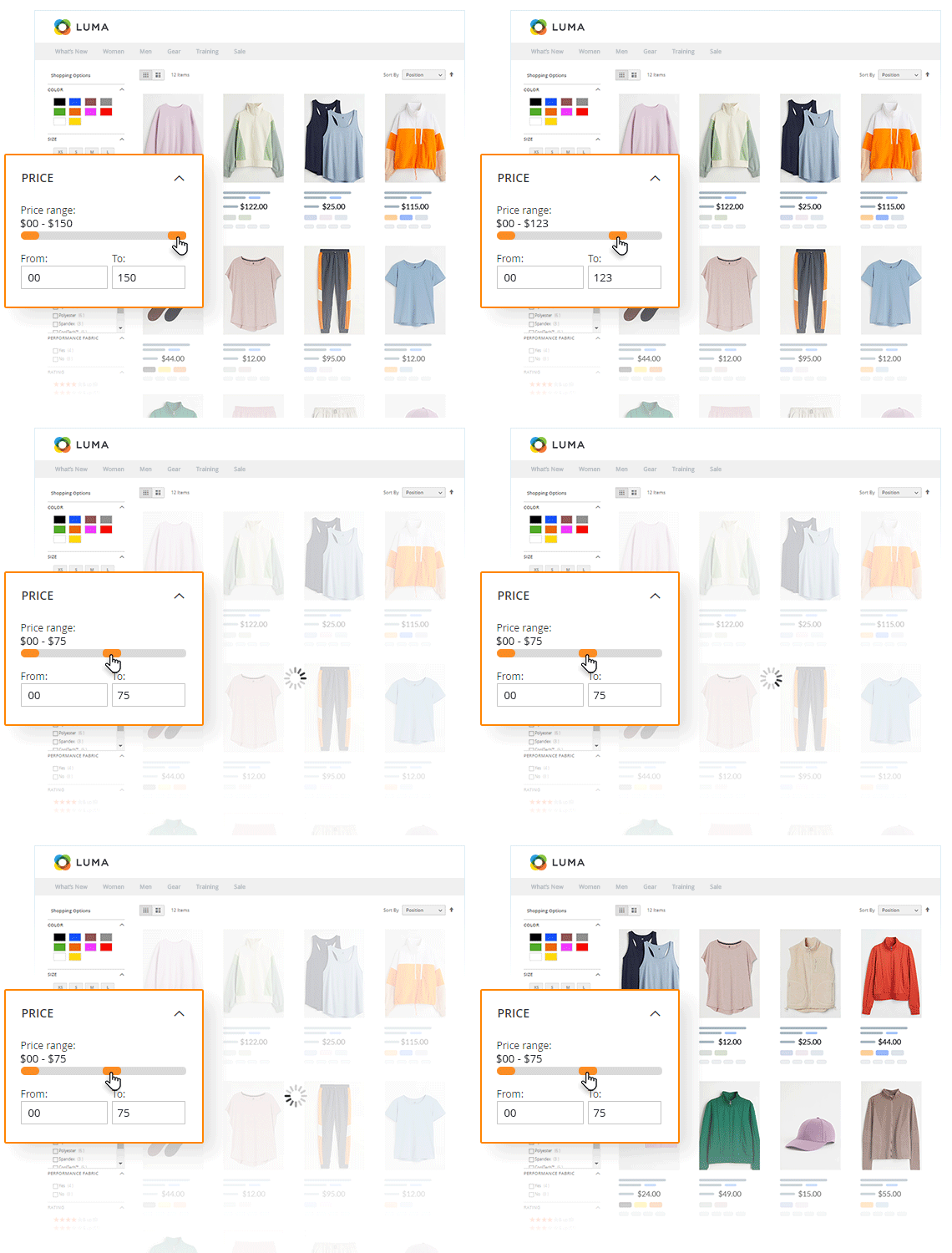 Price Filtering
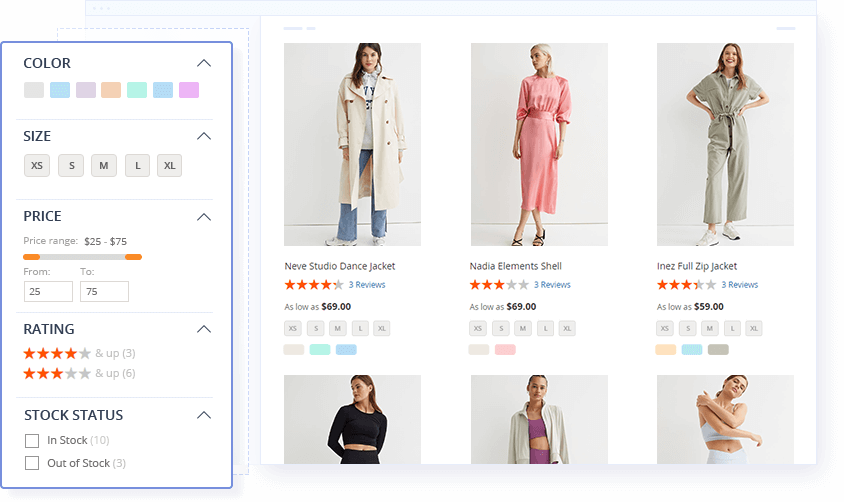
Allow customers to quickly choose products within the preferred price range by displaying price navigation steps, or a handy Magento price filter slider and ‘from-to’ input fields for greater convenience.
Price Filtering
Allow customers to quickly choose products within the preferred price range by displaying price navigation steps, or a handy Magento price filter slider and ‘from-to’ input fields for greater convenience.

 The extension has been tested under heavy page load on stores with large databases. The results showed excellent performance with both small and large product databases with or without pagination.
 Our improved Magento 2 Layered Navigation algorithm was tested on databases with 80,000+ products, 1200+ products on a single page, and 60+ pages of pagination.
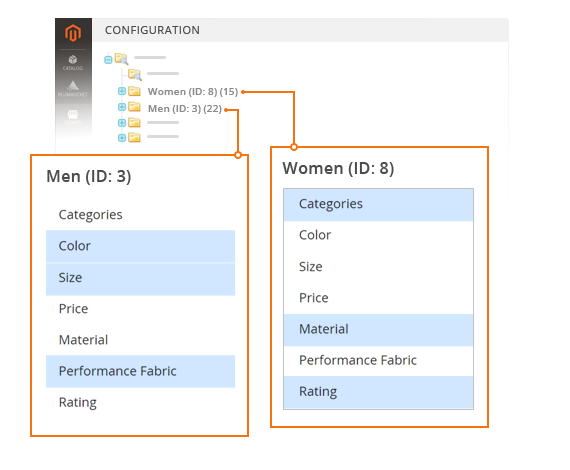 Category-Based Filters
Set up unique filter lists for each category to display only relevant options and make filtering even faster and more efficient for customers.
Category-Based Filters
Set up unique filter lists for each category to display only relevant options and make filtering even faster and more efficient for customers.
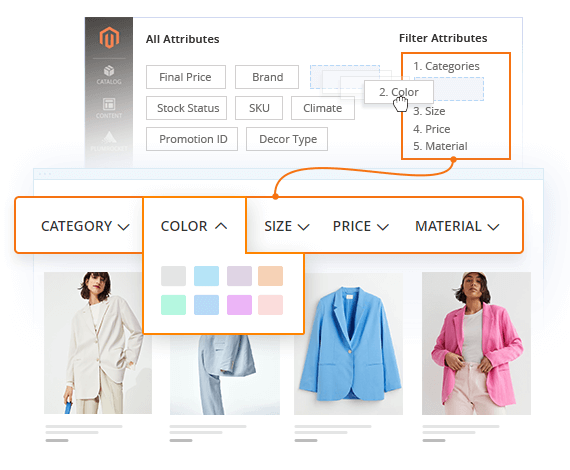 Visual Filter Sorting
Make sure the first filter attributes your shoppers see are useful and relevant to them. Arrange them with a handy drag & drop interface in the module configuration.
Visual Filter Sorting
Make sure the first filter attributes your shoppers see are useful and relevant to them. Arrange them with a handy drag & drop interface in the module configuration.
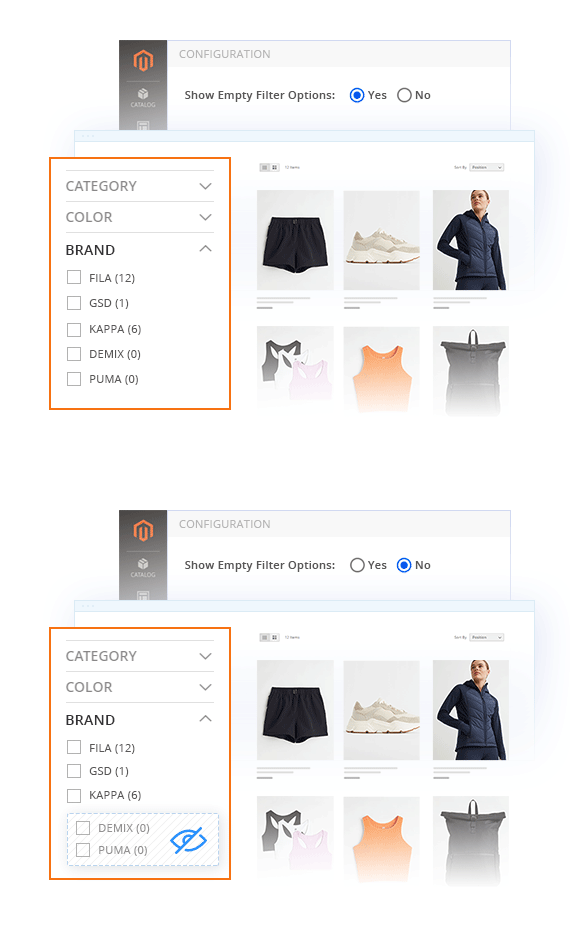 Hiding Empty Filter Options
Don’t clutter up the navigation menu - hide filter options with no matching results to make the navigation simple and efficient.
Hiding Empty Filter Options
Don’t clutter up the navigation menu - hide filter options with no matching results to make the navigation simple and efficient.
 Write a Review
Every customer will automatically receive
$10 in reward points for each approved review.
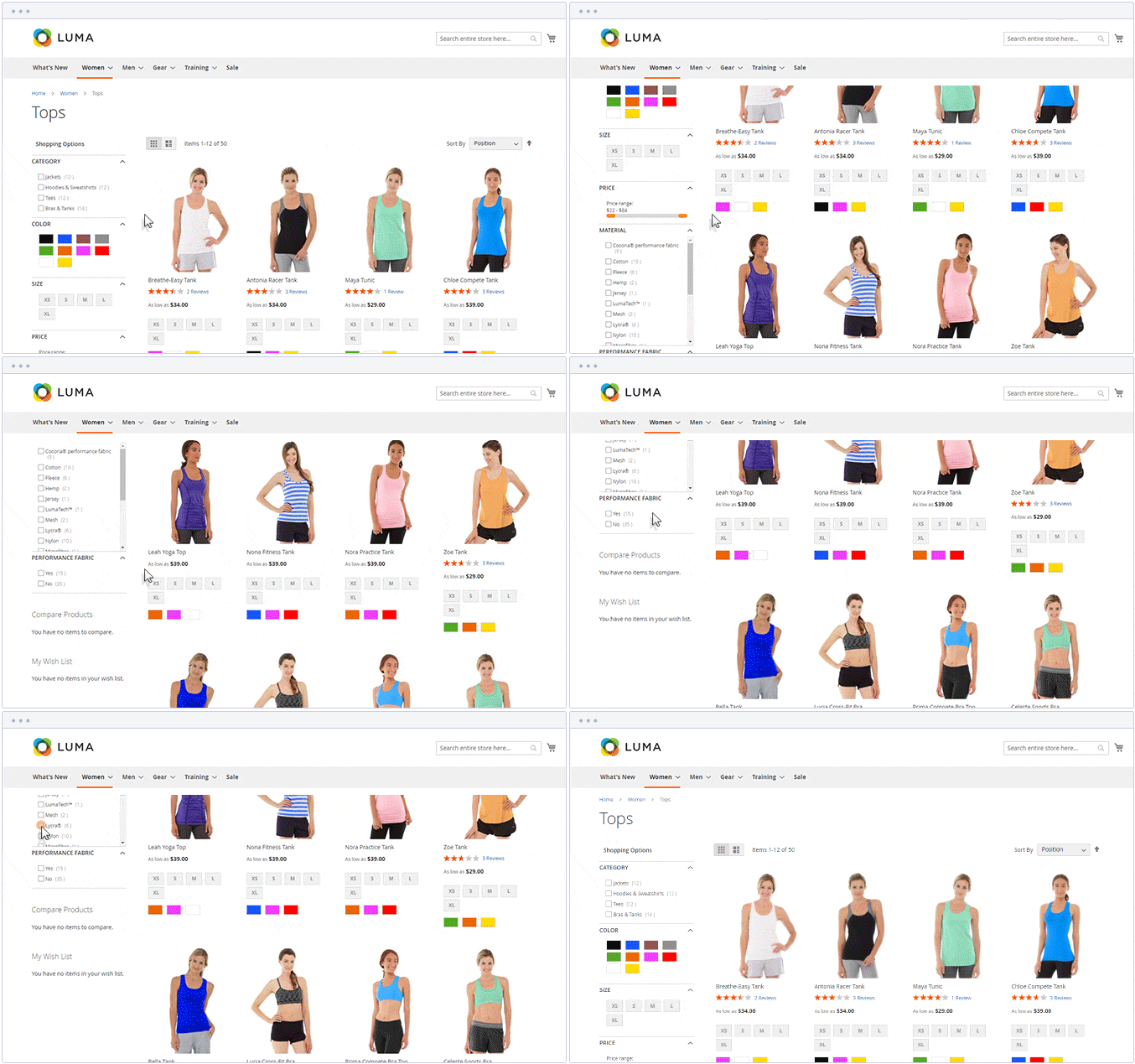
Magento filter refreshes the entire page after you select a filter value. This happens every time you filter by a different attribute. Our extension simplifies this process by providing the must-have functionality to avoid reloading the entire page.
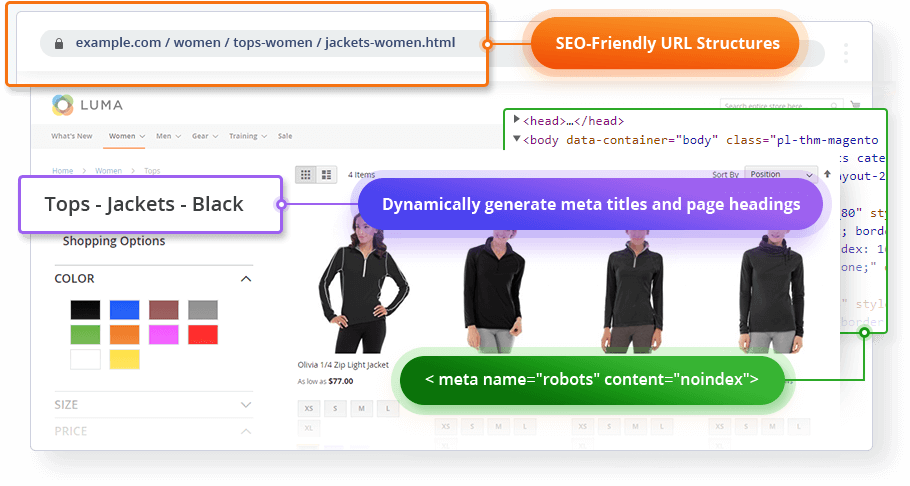
Learn moreThe layered navigation functionality generates its own pages with a unique URL when filtering products. There are several ways to display the search results URLs so as not to hurt your SEO. For our Magento Layered Navigation plugin, we use an approach that is simple and efficient.
Learn moreMagento platform provides some basic product attributes, but you can create any custom ones as well. These custom attributes require the proper configuration to be displayed in the Magento layered navigation during the filtering process.
Learn moreYes. With Layered Navigation Pro, each category automatically shows only the filters that fit its products — Size and Color on a shoes page, RAM and Screen Size on laptops.
You enable your filter attributes once under Plumrocket → Layered Navigation Pro → Configuration → Attribute Filters (just drag them in). The extension then displays only the attributes with matching products per category, and hides any zero-result filters when you set Show Empty Filter Options to No. The result is a filter list tailored to each category, no manual setup per page.
Layered Navigation in Magento is only placed vertically. However, our Product Filter plugin allows displaying layered navigation horizontally as well. With a simple configuration in our extension backend, you can switch to a horizontal display.
Learn moreYes. Customers can select multiple filter options to narrow product results more precisely, which is especially useful for stores with many attributes or product variations.
Yes. It is designed for Magento stores with large catalogs and includes tools like attribute search, filter grouping, and flexible filter display settings to make navigation easier to manage.
Yes. Plumrocket provides Hyvä compatibility for this extension, making it suitable for Magento stores using Hyvä-based frontends.
v4.5.18 - Oct 09, 2026
v4.5.16 - Sep 17, 2026
v4.5.17 - Sep 17, 2026
v4.5.15 - Aug 07, 2026
v4.5.14 - Jan 05, 2026
v4.5.13 - Dec 10, 2025
v4.5.12 - Aug 04, 2025
v4.5.11 - Jul 10, 2025
v4.5.10 - Feb 12, 2025
v4.5.9 - Dec 17, 2024
v4.5.8 - Oct 02, 2024
v4.5.7 - Apr 16, 2024
v4.5.6 - Jan 04, 2024
v4.5.5 - Aug 21, 2023
v4.5.4 - Aug 07, 2023
v4.5.3 - Jul 17, 2023
v4.5.2 - Apr 03, 2023
v4.5.1 - Mar 06, 2023
v4.5.0 - Jan 20, 2023
v4.4.0 - Dec 16, 2022
v4.3.3 - Nov 30, 2022
v4.3.2 - Nov 18, 2022
v4.3.1 - Oct 06, 2022
v4.3.0 - Sep 15, 2022
v4.2.1 - Jul 01, 2022
v4.2.0 - May 02, 2022
v4.1.1 - Apr 20, 2022
v4.1.0 - Apr 05, 2022
v4.0.0 - Mar 22, 2022
v3.2.16 - Jan 28, 2021
v3.2.15 - Oct 07, 2020
v3.2.14 - Aug 28, 2020
v3.2.13 - Jul 13, 2020
v3.2.12 - Jul 02, 2020
v3.2.11 - May 18, 2020
v3.2.10 - Mar 02, 2020
v3.2.9 - Feb 17, 2020
v3.2.8 - Jan 30, 2020
v3.2.7 - Jan 29, 2020
v3.2.6 - Sep 23, 2019
v3.2.5 - Jul 24, 2019
v3.2.4 - Jun 06, 2019
v3.2.3 - May 24, 2019
v3.2.2 - May 13, 2019
v3.2.1 - Apr 26, 2019
v3.2.0 - Feb 28, 2019
v3.1.0 - Oct 23, 2018
v3.0.12 - Mar 01, 2018
v3.0.11 - Jan 10, 2018
v3.0.10 - Oct 20, 2017
v3.0.9 - Sep 21, 2017
v3.0.8 - Apr 25, 2017
v3.0.7 - Mar 29, 2017
v3.0.6 - Mar 22, 2017
v3.0.5 - Mar 15, 2017
v3.0.4 - Feb 27, 2017
v3.0.3 - Jan 16, 2017
v3.0.2 - Nov 09, 2016
v3.0.1 - Oct 07, 2016
v3.0.0 - Sep 16, 2016
v1.3.16 - Oct 09, 2026
v1.3.15 - Aug 07, 2026
v1.3.14 - May 20, 2026
v1.3.13 - Dec 10, 2025
v1.3.12 - Jul 28, 2025
v1.3.11 - Feb 12, 2025
v1.3.10 - Dec 17, 2024
v1.3.9 - Apr 17, 2024
v1.3.8 - Jan 04, 2024
v1.3.6 - Aug 07, 2023
v1.3.5 - Aug 07, 2023
v1.3.7 - Aug 07, 2023
v1.3.4 - Apr 03, 2023
v1.3.3 - Jan 20, 2023
v1.3.2 - Dec 16, 2022
v1.3.1 - Dec 01, 2022
v1.3.0 - Nov 30, 2022
v1.2.2 - Nov 18, 2022
v1.2.1 - Nov 03, 2022
v1.2.0 - Sep 15, 2022
v1.1.1 - Jul 01, 2022
v1.1.0 - May 02, 2022
v1.0.1 - Apr 07, 2022
v1.0.0 - Mar 22, 2022