Connect new account
✕If you have multiple social networks accounts (like Facebook, Twitter, Google) - you can link your social accounts with your account at our store. This will allow you to access the website more conveniently!

You have no items in your shopping cart.

The Magento 2 Price Slider Layered Navigation extension offers a dynamic and user-friendly way to narrow down products by price. Built with AJAX technology, the extension streamlines filtering results even for websites with extensive product catalogs. Improve site navigation, elevate user experience, and boost sales.

| Product Details | |
| Version: | 4.5.18 (Oct 09, 2026) |
| Documentation: | User Guide |
| Live Demo: | View |
| Code Visibility: | 100% Open Code |
| Supported CE - EE: |
CE 2.3.x - 2.4.9 EE 2.3.x - 2.4.9 |
| License: | Single Magento Installation |
| Free Updates & Support: |
1 year (Details)
No subscriptions |
| Refund Policy: | 60 Days (View) |
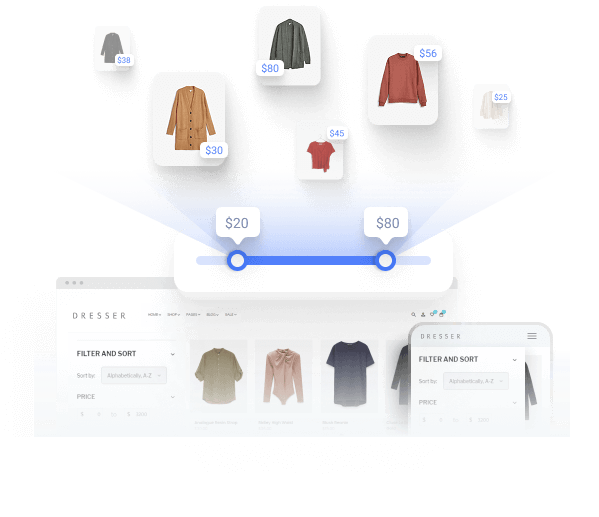
Leveraging Magento 2 Price Slider Layered Navigation extension enables shoppers to adjust the product list to their price preferences. The extension automatically identifies the min and max price spectrum for the product, providing accurate and fast real-time results. Then, customers just need to drag the handles on the range to specify product price boundaries
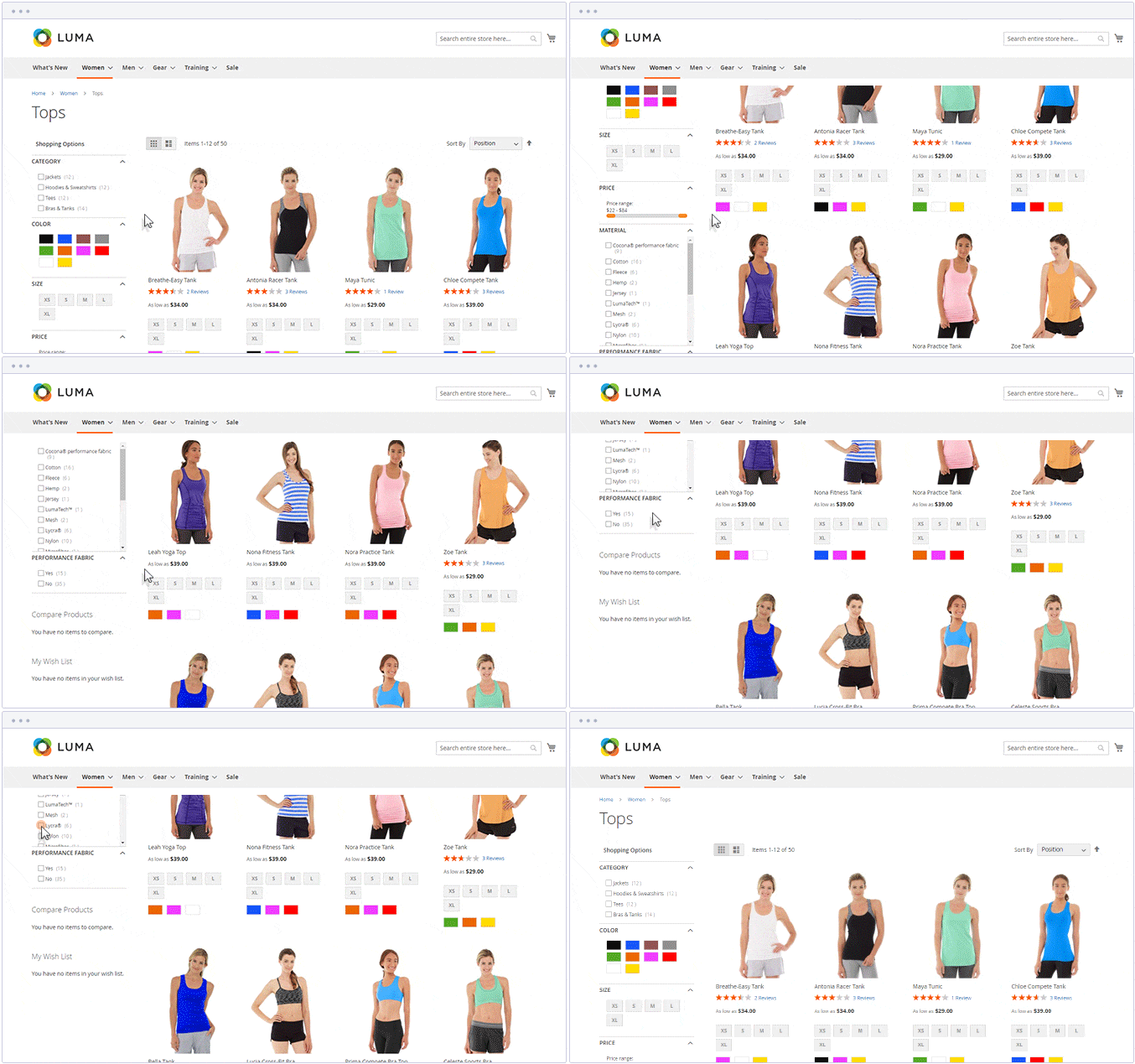
Moreover, Magento 2 ajax filtering dynamically provides relevant results just after the filter options are applied, avoiding the need for a reload of the whole category page. The technology has been rigorously tested on both large and small website databases and proves effective and fast performance. This makes the Price Slider for Magento 2 an essential tool for businesses aiming to enhance user experience, streamline navigation, and drive sales.
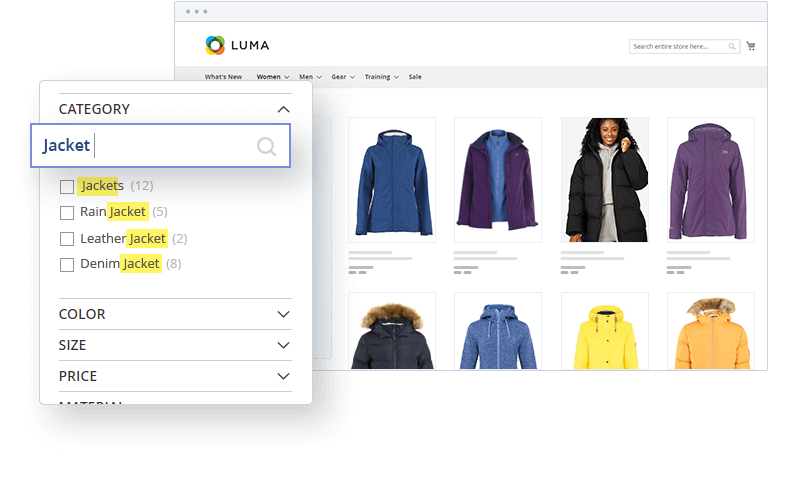
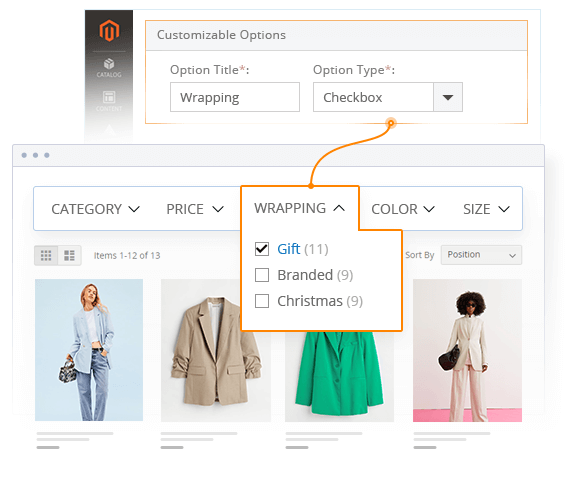 Filtering by Customizable Options
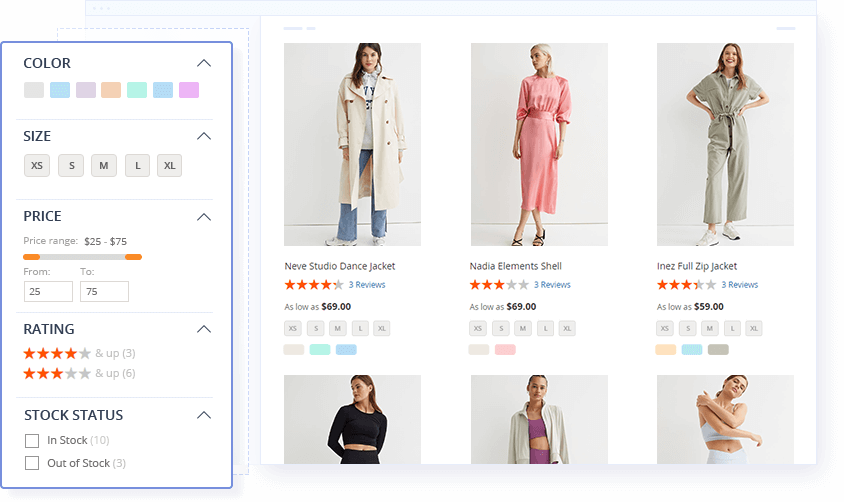
The Price Slider Layered Navigation for Magento 2 makes use of custom options filtering, creating a lightning-fast experience for users. Just choose which ones to display, specify their order, and apply to a category.
Filtering by Customizable Options
The Price Slider Layered Navigation for Magento 2 makes use of custom options filtering, creating a lightning-fast experience for users. Just choose which ones to display, specify their order, and apply to a category.
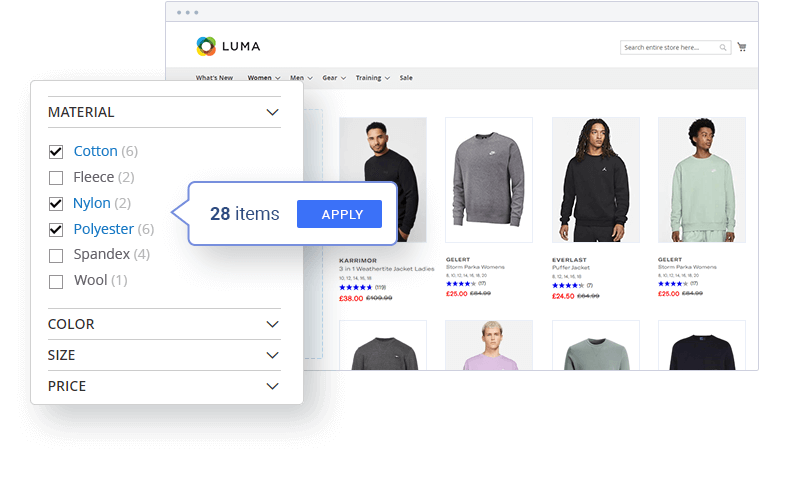
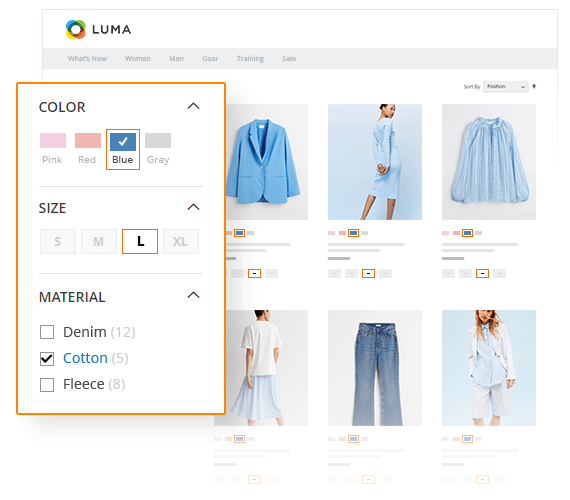 Multi-Select Filter Options
Allow selection of multiple values at ones within one filtering attribute (e.g. search for both “red” and “yellow” in the Color attribute). It makes the product filtering more convenient and fast.
Multi-Select Filter Options
Allow selection of multiple values at ones within one filtering attribute (e.g. search for both “red” and “yellow” in the Color attribute). It makes the product filtering more convenient and fast.
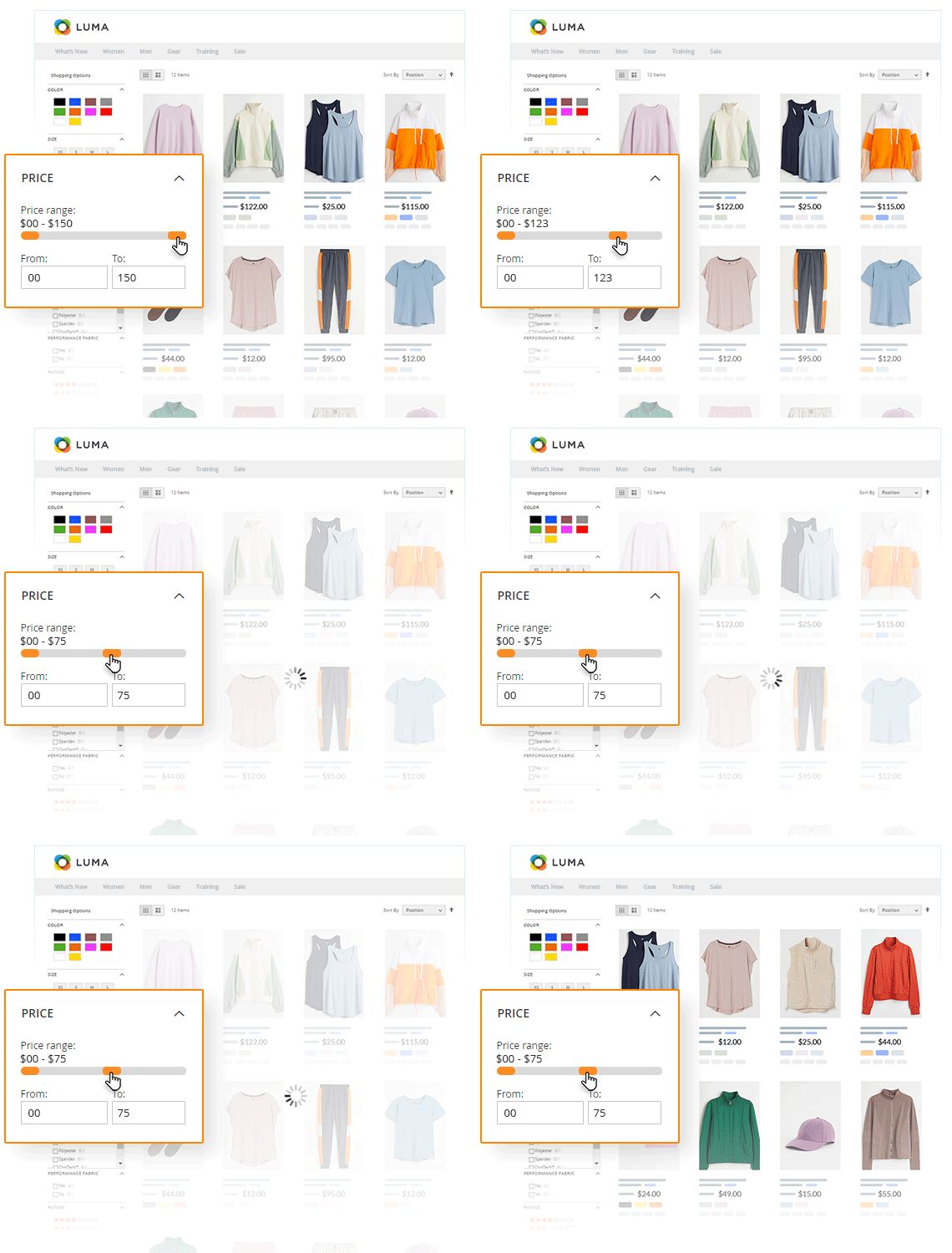 Price Filtering
Provide multiple price filtering options, including price navigation steps, a Magento price filter slider, and ‘from-to’ input fields, allowing for quick and easy product selection within customer preferred price range.
Price Filtering
Provide multiple price filtering options, including price navigation steps, a Magento price filter slider, and ‘from-to’ input fields, allowing for quick and easy product selection within customer preferred price range.

 This Magento 2 Price Slider extension has been tested under heavy page load on stores with large databases, becoming a go-to solution for both large- and small-scale online stores.
 The layered navigation algorithm testing showed excellent results on stores with a large product catalog (80,000+ products) and heavy pagination (60+ pages, 1200+ products per page).
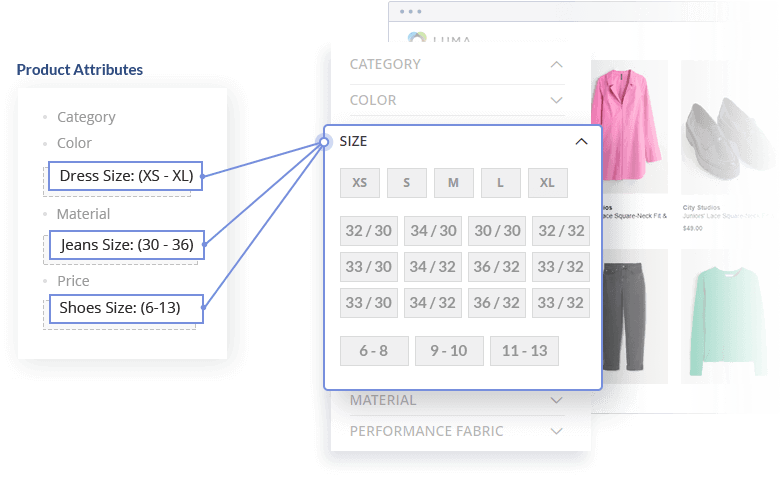
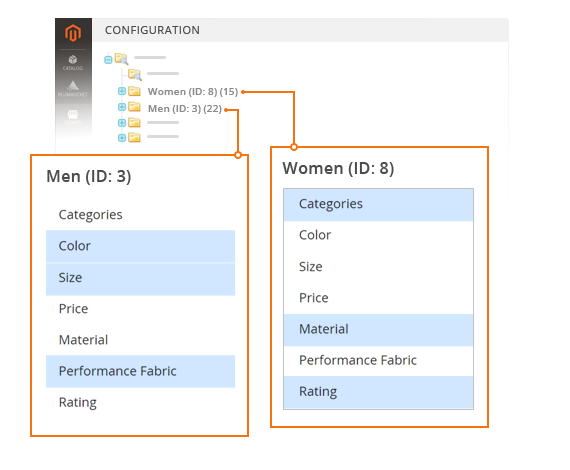 Category-Based Filters
Establish unique filter lists for each category in order to display the most relevant products. Create rapid and efficient filtering for your customers.
Category-Based Filters
Establish unique filter lists for each category in order to display the most relevant products. Create rapid and efficient filtering for your customers.
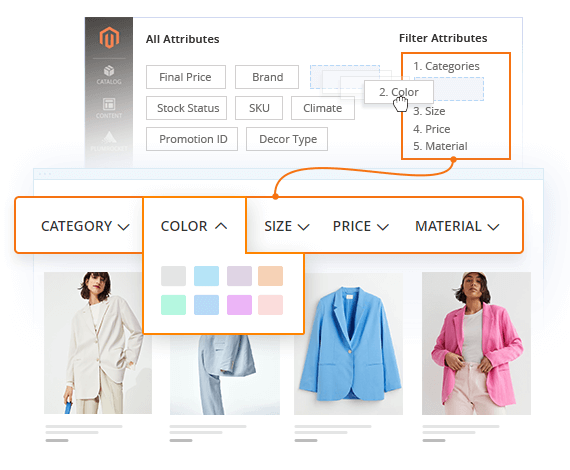 Visual Filter Sorting
Display only the most important and relevant attributes first, so customers see them right away. The module's drag-and-drop interface makes arranging attributes easy.
Visual Filter Sorting
Display only the most important and relevant attributes first, so customers see them right away. The module's drag-and-drop interface makes arranging attributes easy.
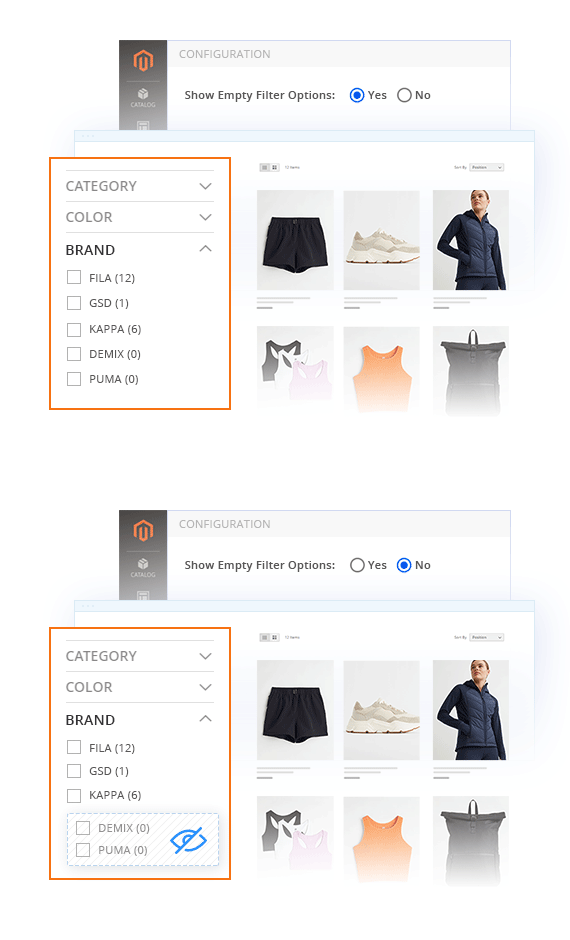 Hiding Empty Filter Options
Make your navigation menu efficient and simpler by hiding filter options that have no matching results.
Hiding Empty Filter Options
Make your navigation menu efficient and simpler by hiding filter options that have no matching results.

 Write a Review
Every customer will automatically receive
$10 in reward points for each approved review.
Magento filter refreshes the entire page after you select a filter value. This happens every time you filter by a different attribute. Our extension simplifies this process by providing the must-have functionality to avoid reloading the entire page.
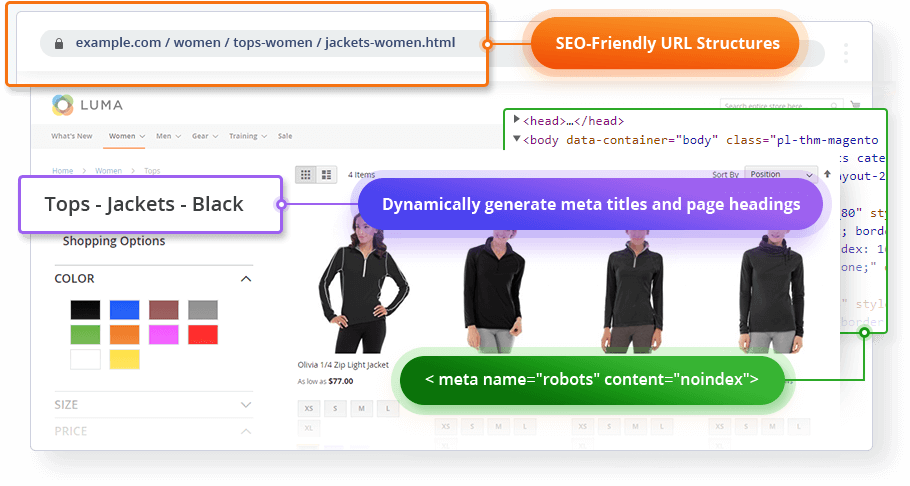
Learn moreThe layered navigation functionality generates its own pages with a unique URL when filtering products. There are several ways to display the search results URLs so as not to hurt your SEO. For our Magento Layered Navigation plugin, we use an approach that is simple and efficient.
Learn moreMagento platform provides some basic product attributes, but you can create any custom ones as well. These custom attributes require the proper configuration to be displayed in the Magento layered navigation during the filtering process.
Learn moreYes. With Layered Navigation Pro, each category automatically shows only the filters that fit its products — Size and Color on a shoes page, RAM and Screen Size on laptops.
You enable your filter attributes once under Plumrocket → Layered Navigation Pro → Configuration → Attribute Filters (just drag them in). The extension then displays only the attributes with matching products per category, and hides any zero-result filters when you set Show Empty Filter Options to No. The result is a filter list tailored to each category, no manual setup per page.
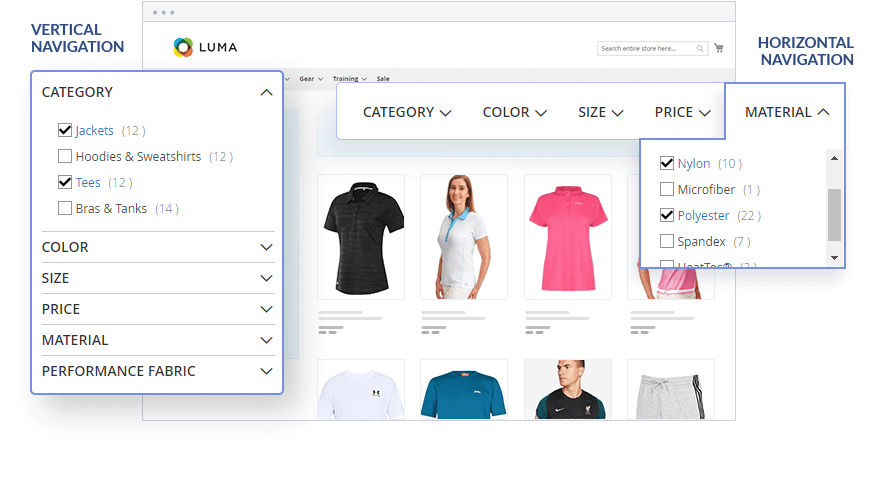
Layered Navigation in Magento is only placed vertically. However, our Product Filter plugin allows displaying layered navigation horizontally as well. With a simple configuration in our extension backend, you can switch to a horizontal display.
Learn moreYes. Customers can select multiple filter options to narrow product results more precisely, which is especially useful for stores with many attributes or product variations.
Yes. It is designed for Magento stores with large catalogs and includes tools like attribute search, filter grouping, and flexible filter display settings to make navigation easier to manage.
Yes. Plumrocket provides Hyvä compatibility for this extension, making it suitable for Magento stores using Hyvä-based frontends.
v4.5.18 - Oct 09, 2026
v4.5.16 - Sep 17, 2026
v4.5.17 - Sep 17, 2026
v4.5.15 - Aug 07, 2026
v4.5.14 - Jan 05, 2026
v4.5.13 - Dec 10, 2025
v4.5.12 - Aug 04, 2025
v4.5.11 - Jul 10, 2025
v4.5.10 - Feb 12, 2025
v4.5.9 - Dec 17, 2024
v4.5.8 - Oct 02, 2024
v4.5.7 - Apr 16, 2024
v4.5.6 - Jan 04, 2024
v4.5.5 - Aug 21, 2023
v4.5.4 - Aug 07, 2023
v4.5.3 - Jul 17, 2023
v4.5.2 - Apr 03, 2023
v4.5.1 - Mar 06, 2023
v4.5.0 - Jan 20, 2023
v4.4.0 - Dec 16, 2022
v4.3.3 - Nov 30, 2022
v4.3.2 - Nov 18, 2022
v4.3.1 - Oct 06, 2022
v4.3.0 - Sep 15, 2022
v4.2.1 - Jul 01, 2022
v4.2.0 - May 02, 2022
v4.1.1 - Apr 20, 2022
v4.1.0 - Apr 05, 2022
v4.0.0 - Mar 22, 2022
v3.2.16 - Jan 28, 2021
v3.2.15 - Oct 07, 2020
v3.2.14 - Aug 28, 2020
v3.2.13 - Jul 13, 2020
v3.2.12 - Jul 02, 2020
v3.2.11 - May 18, 2020
v3.2.10 - Mar 02, 2020
v3.2.9 - Feb 17, 2020
v3.2.8 - Jan 30, 2020
v3.2.7 - Jan 29, 2020
v3.2.6 - Sep 23, 2019
v3.2.5 - Jul 24, 2019
v3.2.4 - Jun 06, 2019
v3.2.3 - May 24, 2019
v3.2.2 - May 13, 2019
v3.2.1 - Apr 26, 2019
v3.2.0 - Feb 28, 2019
v3.1.0 - Oct 23, 2018
v3.0.12 - Mar 01, 2018
v3.0.11 - Jan 10, 2018
v3.0.10 - Oct 20, 2017
v3.0.9 - Sep 21, 2017
v3.0.8 - Apr 25, 2017
v3.0.7 - Mar 29, 2017
v3.0.6 - Mar 22, 2017
v3.0.5 - Mar 15, 2017
v3.0.4 - Feb 27, 2017
v3.0.3 - Jan 16, 2017
v3.0.2 - Nov 09, 2016
v3.0.1 - Oct 07, 2016
v3.0.0 - Sep 16, 2016
v1.3.16 - Oct 09, 2026
v1.3.15 - Aug 07, 2026
v1.3.14 - May 20, 2026
v1.3.13 - Dec 10, 2025
v1.3.12 - Jul 28, 2025
v1.3.11 - Feb 12, 2025
v1.3.10 - Dec 17, 2024
v1.3.9 - Apr 17, 2024
v1.3.8 - Jan 04, 2024
v1.3.6 - Aug 07, 2023
v1.3.5 - Aug 07, 2023
v1.3.7 - Aug 07, 2023
v1.3.4 - Apr 03, 2023
v1.3.3 - Jan 20, 2023
v1.3.2 - Dec 16, 2022
v1.3.1 - Dec 01, 2022
v1.3.0 - Nov 30, 2022
v1.2.2 - Nov 18, 2022
v1.2.1 - Nov 03, 2022
v1.2.0 - Sep 15, 2022
v1.1.1 - Jul 01, 2022
v1.1.0 - May 02, 2022
v1.0.1 - Apr 07, 2022
v1.0.0 - Mar 22, 2022