Connect new account
✕If you have multiple social networks accounts (like Facebook, Twitter, Google) - you can link your social accounts with your account at our store. This will allow you to access the website more conveniently!

You have no items in your shopping cart.
The Magento 2 Catalog Permissions extension allows restricting products and categories by customer group in a more flexible way while providing better customer-centric shopping services.

| Product Details | |
| Version: | 6.0.2 (Aug 21, 2026) |
| Documentation: | User Guide |
| Live Demo: | View |
| Code Visibility: | 100% Open Code |
| Supported CE - EE: |
CE 2.3.x - 2.4.9 EE 2.3.x - 2.4.9 |
| License: | Single Magento Installation |
| Free Updates & Support: |
1 year (Details)
No subscriptions |
| Refund Policy: | 60 Days (View) |
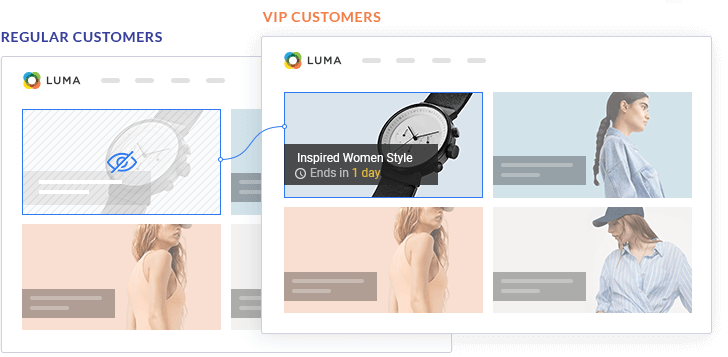
The Magento 2 Catalog permissions extension is the most efficient way to restrict products/categories by customer groups and grant them special permissions for business reasons. For example, you can show special offers for B2B customers or wholesalers and hide them from other users.
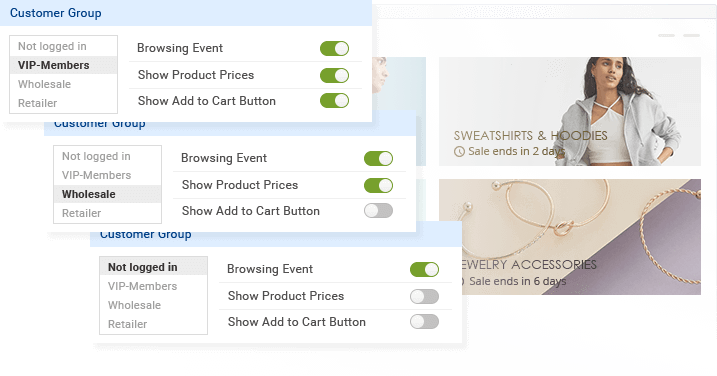
Alternatively, you can hide product prices and Add to Cart button for non-logged-in customers and redirect them to the login/registration page to increase user sign-ups. To make it more convenient, you can create a restricted event and assign any category or individual product to it. By adding a countdown timer to an event, it will be possible to run restricted limited-time sales with an easy-to-use managing & tracking interface for admins.
Setting up Magento 2 category permissions by customer groups with our extension gives you even more options than you might expect. Check our use cases and main features below.
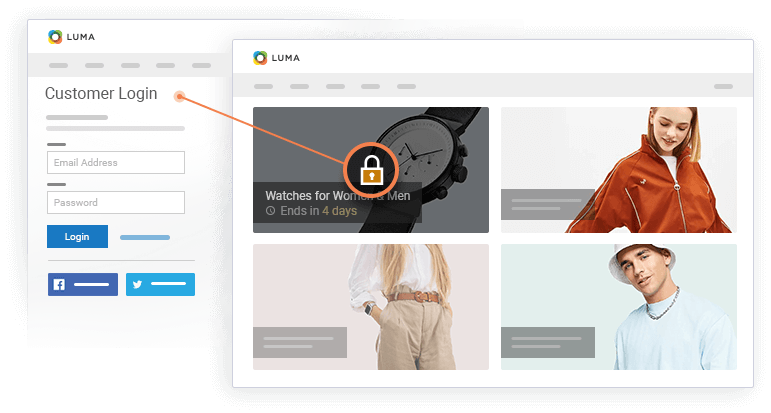
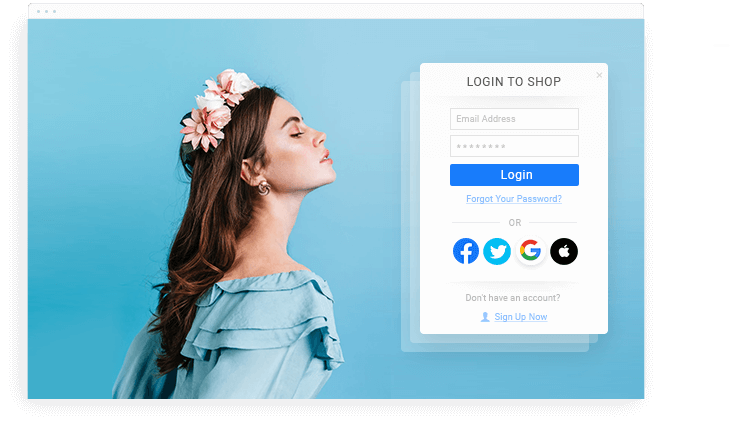
 Page Redirect
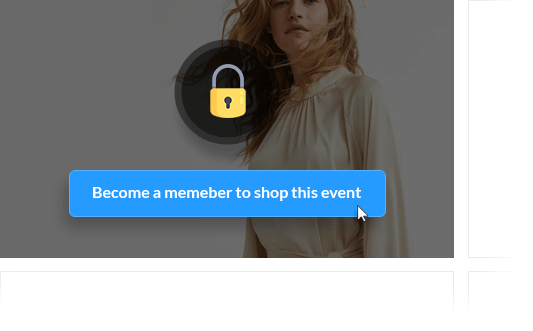
Redirect users who are not allowed access to restricted events (categories or individual products) to the login/registration page or any CMS page. In this way, you can increase user sign-ups and display relevant content for each customer group.
Page Redirect
Redirect users who are not allowed access to restricted events (categories or individual products) to the login/registration page or any CMS page. In this way, you can increase user sign-ups and display relevant content for each customer group.
 Hide from Search
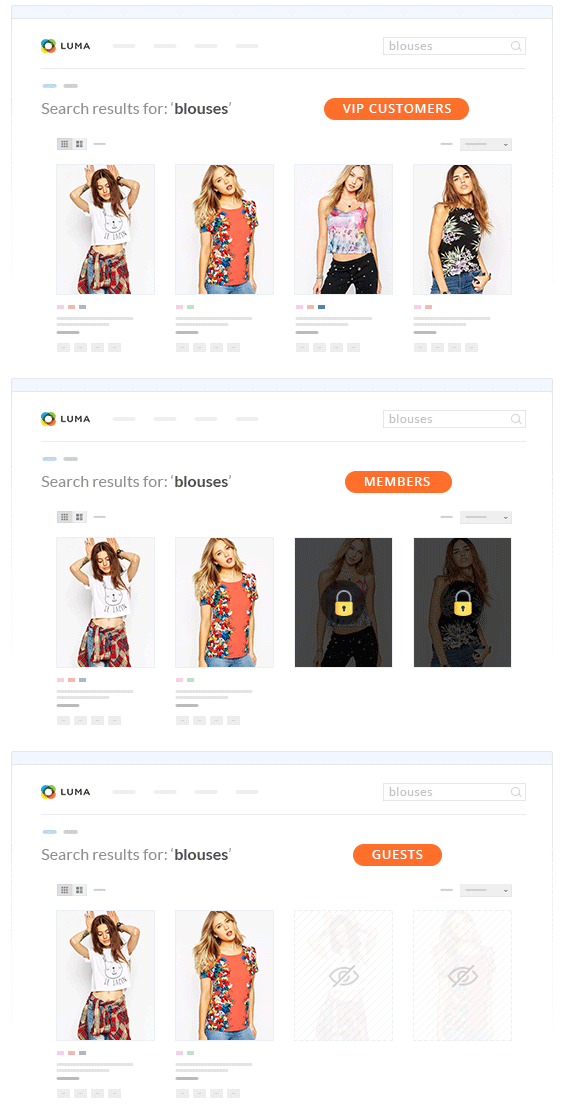
Make permissions even more effective - hide restricted categories/products from the catalog search results for the selected customer groups.
Hide from Search
Make permissions even more effective - hide restricted categories/products from the catalog search results for the selected customer groups.
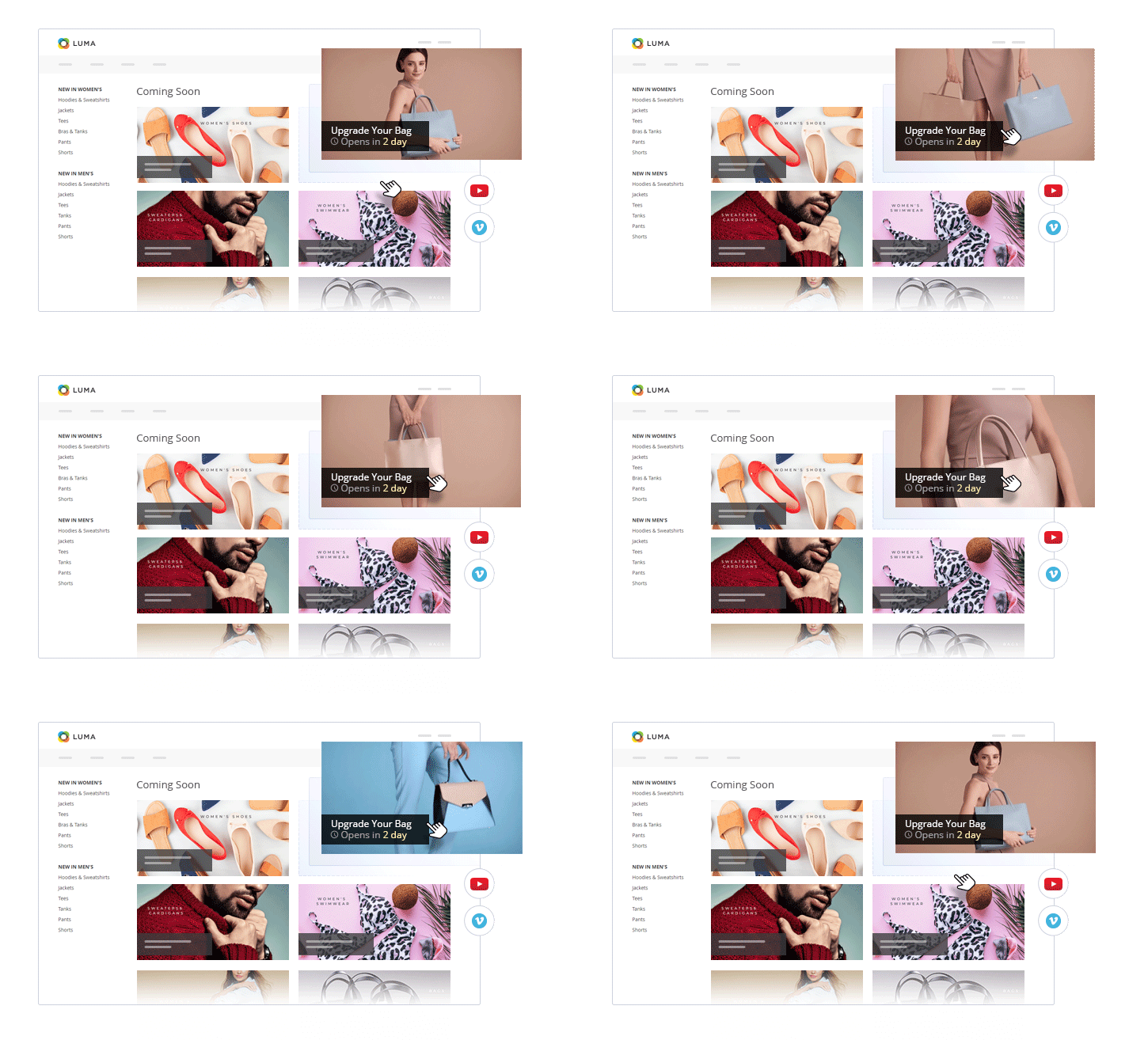
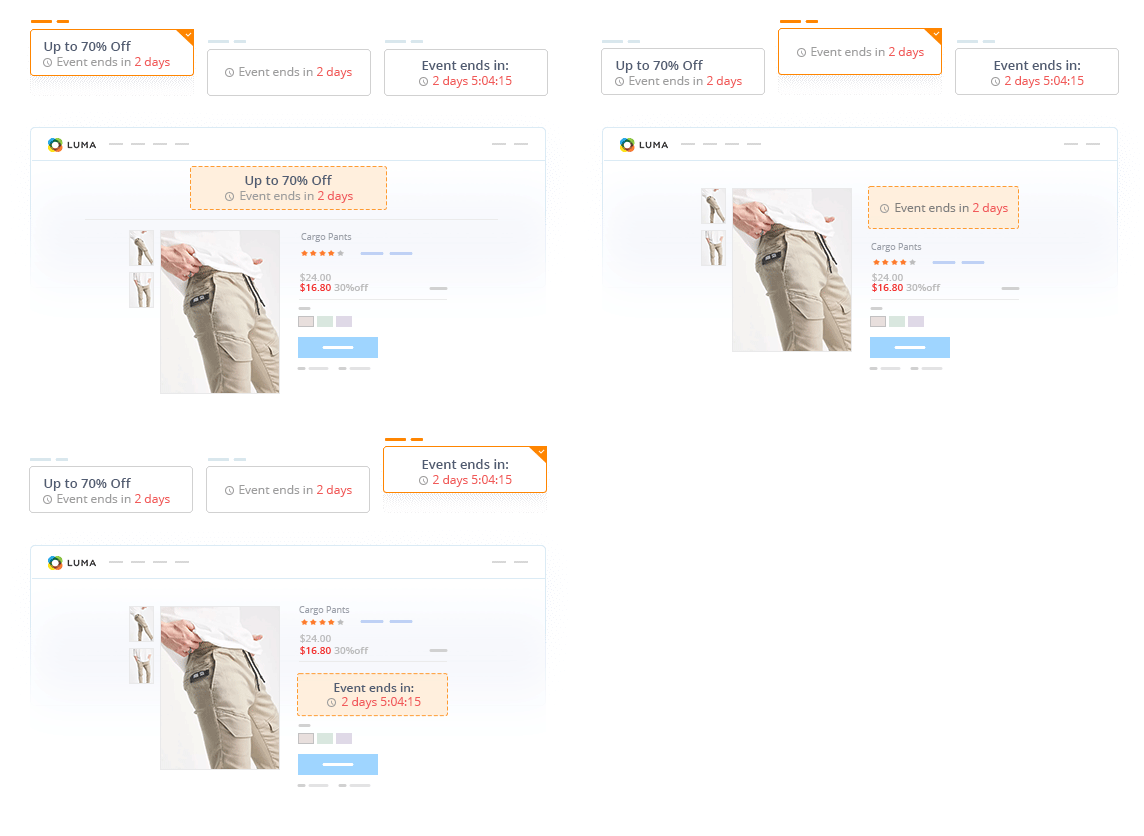 Product Timer
Set product restrictions by customer groups for a limited time when you sell during peak seasons or holidays. Display a countdown timer that tells customers when the product is available for sale or when its sale ends.
Product Timer
Set product restrictions by customer groups for a limited time when you sell during peak seasons or holidays. Display a countdown timer that tells customers when the product is available for sale or when its sale ends.
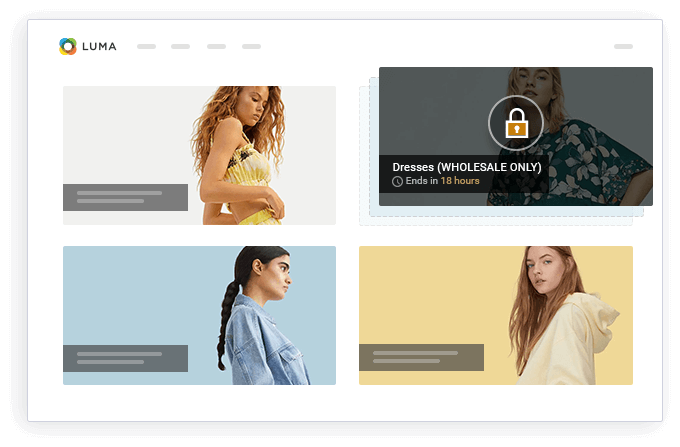
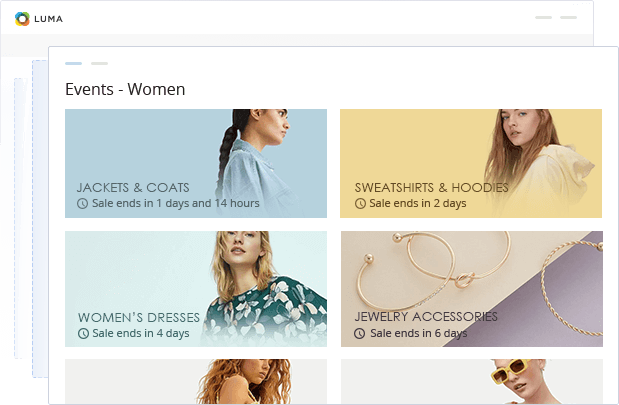
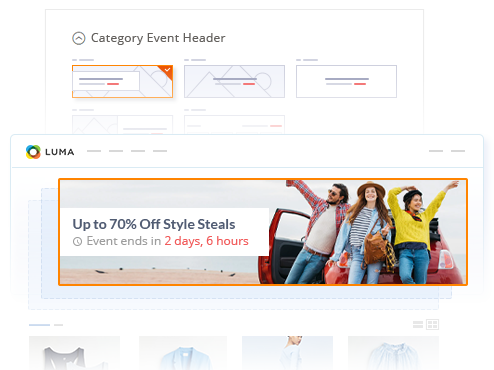 Category Timer
Restrict access for specific customer groups to an entire category and display a countdown timer to show the sale deadline.
Category Timer
Restrict access for specific customer groups to an entire category and display a countdown timer to show the sale deadline.
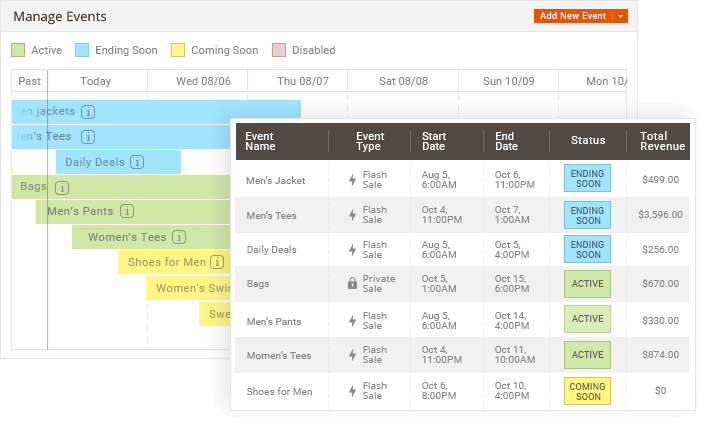 Schedule Restricted Events
Conveniently plan limited-time events using a visual event list and timeline. Schedule new restricted events and filter them by type, dates, and statuses.
Schedule Restricted Events
Conveniently plan limited-time events using a visual event list and timeline. Schedule new restricted events and filter them by type, dates, and statuses.
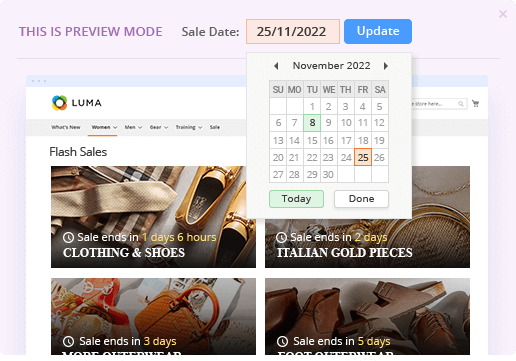 Event Preview
Create an event, set a valid time range, and hit the “preview” button to browse your live website and what the restrictions will look like for different customer groups in the future.
Event Preview
Create an event, set a valid time range, and hit the “preview” button to browse your live website and what the restrictions will look like for different customer groups in the future.
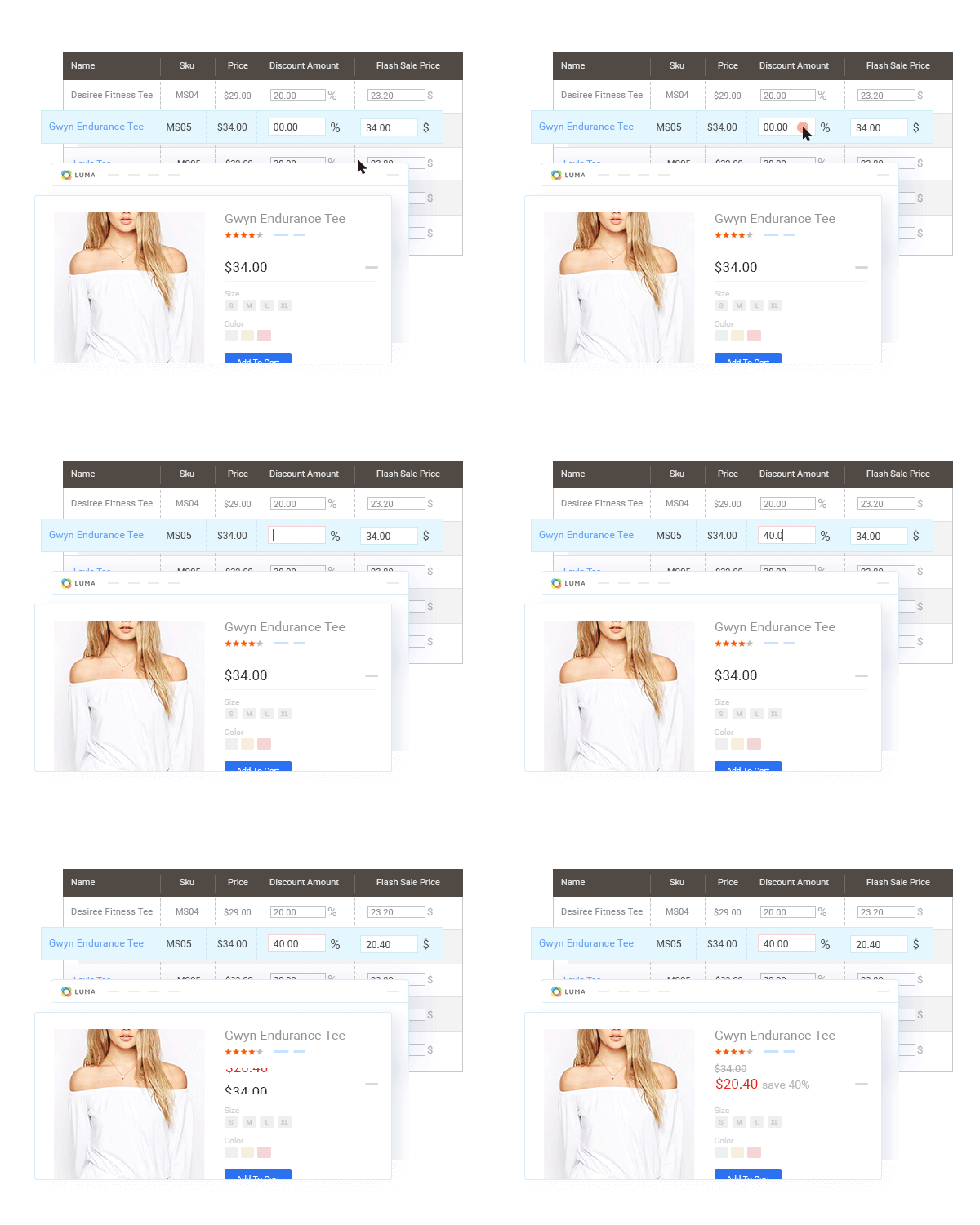 Quick Discount Setup
Conveniently manage restricted sale events from a handy interface and set a discount amount in a few clicks. With mass actions, you can quickly update all discounts, sale quantity limits, and round sales prices.
Quick Discount Setup
Conveniently manage restricted sale events from a handy interface and set a discount amount in a few clicks. With mass actions, you can quickly update all discounts, sale quantity limits, and round sales prices.
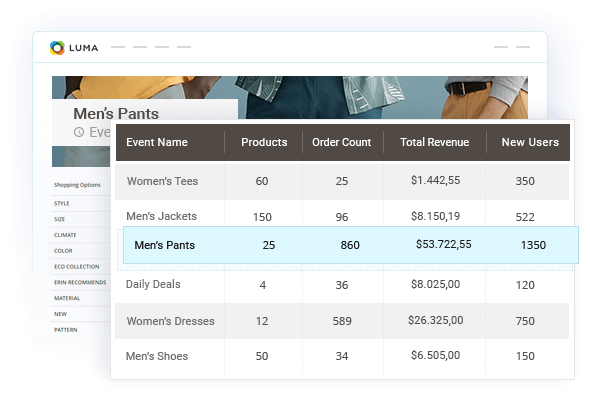 Measuring the Success
Track the success of your restricted events by viewing detailed statistics on revenue, orders, and new user registrations for each restricted event.
Measuring the Success
Track the success of your restricted events by viewing detailed statistics on revenue, orders, and new user registrations for each restricted event.


 Private Sales & Flash Sales Extension
|
 Private Sales
 Professional Package |
 Private Sales
 Ultimate Package |
|
|
Catalog Permissions Extension (Private Sales & Flash Sales Extension) |

|
|
|
| Social Login Pro Extension |

|
|
|
| Cart Reservation Extension |
|
|
|
| Estimated Delivery Date Extension |
|
|
|
| Size Chart Extension |
|
|
|
| Ajax Cart Extension |
|
|
|
| Advanced Reviews & Reminders Extension |
|
|
|
| Checkout Success Page Extension |
|
|
|
| Layered Navigation & Product Filter Extension |
|
|
|
| Search Autocomplete and Suggest Extension |
|
|
|
|
$249
|
was: $785 (15% off)
$667.25
+ Get Free Installation
|
was: $1470 (20% off)
$1176
+ Get Free Installation
|
 Write a Review
Every customer will automatically receive
$10 in reward points for each approved review.
It turns your store into a member-only shopping club and lets you run limited-time sales on any new or existing catalog. Create private events, flash sales, daily deals, and limited-time offers with countdown timers, then assign them to categories or individual products.
We have been building this extension since 2011, when we pioneered flash sales for Magento. It is the product Plumrocket grew up around, and fifteen years of merchant feedback have gone into it. That history matters here more than it would for a simpler extension: private/flash sales touch pricing, permissions, catalog visibility, and checkout all at once, and those are the places where a young extension breaks.
Today it is the most capable extension in our store, and one of the most complex. It is a go-to solution because it replaces several separate tools with one:
Choose one of the packages and you get more than a bigger sale toolkit. The Professional Package adds Social Login Pro so members register in one click, Cart Reservation so stock does not vanish from a shopper's cart mid-event, plus Estimated Delivery Date and Size Chart. The Ultimate Package adds Ajax Cart, Advanced Reviews & Reminders, Checkout Success Page, Layered Navigation, and Search Autocomplete & Suggest.
The point of the packages is that none of those tools sit idle between campaigns. Faster login, better search, filtered navigation, and review collection work every day of the year. You are buying a sale engine and coming away with a store that converts better between sales too.
We recommend this extension to any merchant who wants to run genuine urgency-driven campaigns rather than a permanent sale banner nobody believes.
A private sale restricts access, so only registered members from the customer groups you choose can browse the event, see prices, or add products to the cart. A flash sale is public but time-boxed, with a countdown timer that starts and ends the sale automatically.
Yes. Set separate permissions for before the event starts, during the sale, and after it ends, then decide per customer group who can browse the event, view prices, and add products to the cart.
Yes. Set event status, privacy, and pricing at the website or store view level, and the extension supports Magento's website-level price scope, so the same product can carry a different sale price on each storefront.
Yes. Event start and end times follow the timezone configured for each store rather than the server clock, so a sale scheduled for 9:00 AM opens at 9:00 AM for that store's shoppers.
Yes. Schedule the event, add products, and use the Preview button to browse your live site exactly as it will appear during the sale. Useful for sign-off before a campaign launches.
Buy the extension on its own if you are adding private sales or flash sales to a Magento store you are otherwise happy with. Choose Professional if members need to register and check out fast during a timed event. Choose Ultimate if you are building a private sale store from the ground up and need catalog browsing, search, and reviews to match.
Yes. You can upgrade to a Plumrocket Private Sales package after purchasing the extension on its own. Contact our team and we will confirm the upgrade cost based on what you already own.
That is what makes it private. Fill in the name, category or product, and schedule to finish the event, then use Private Sale Permissions to choose which customer groups get in.
The countdown timer starts and stops on those dates by itself. Add your discounts in the Products and Discounts grid to finish the event.
Version 6.0.2 Aug 21, 2026
Version 6.0.1 Aug 11, 2026
Version 6.0.0 Jul 21, 2026
Version 5.1.16 Jun 22, 2026
Version 5.1.15 May 05, 2025