
To insert the Privacy Center link into the CMS block or CMS page, go to Content > Elements > Blocks або Content > Elements > Pages:
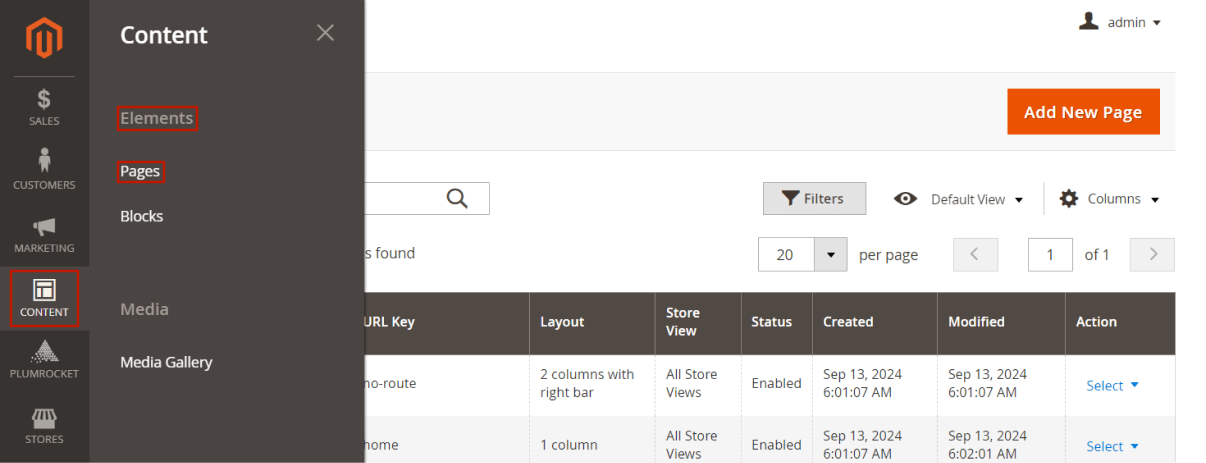
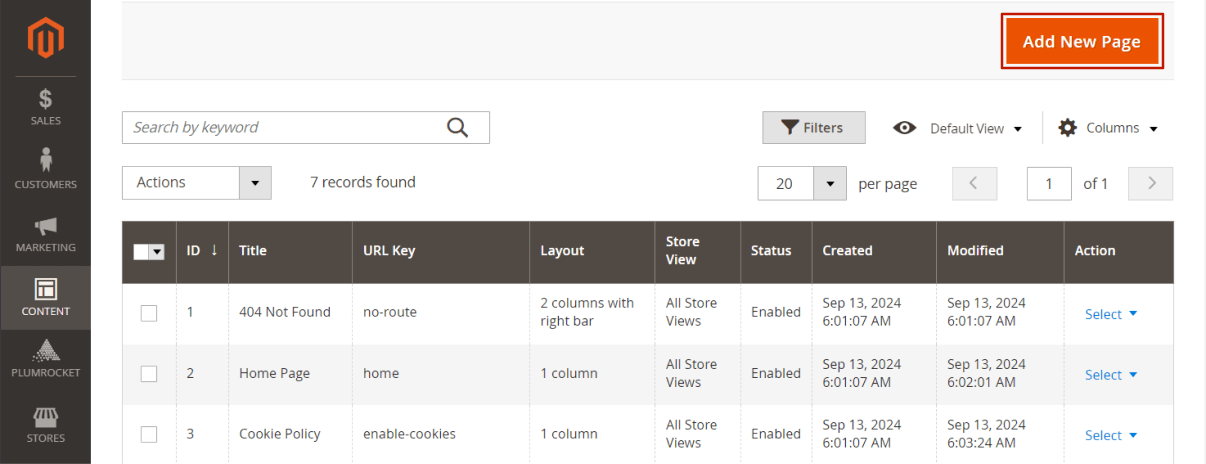
Choose the CMS block/page into which you would like to add a link or create a new one by pressing the Add new button:
In the content field, you can use the HTML to insert the link to the needed place. For this, add the <a> tag with the href attribute that should point to the privacy-center/account/check.
Here is an example of the content that should be added to the CMS block/page:
<a href="{{store url='privacy-center/account/check'}}">Privacy Center</a>And here is an example of how the link should be added to the footer:
<ul class="footer links">
    <li class="nav item"><a href="{{store url="about-us"}}">About us</a></li>
    <li class="nav item"><a href="{{store url="customer-service"}}">Customer Service</a></li>
    <li class="nav item"><a href="{{store url='privacy-center/account/check'}}">Privacy Center</a></li>
</ul>
Important Notice:
The code above is only an example. It could be different or not needed in your particular case.
Was this article helpful?