To add a GDPR-compliant cookie popup in Magento 2, install a dedicated Cookie Consent extension. Magento's built-in Cookie Restriction Mode shows a basic notice but doesn't meet GDPR, ePrivacy, or Google Consent Mode v2 requirements.
A GDPR-compliant cookie popup must offer granular consent categories, block tracking scripts before consent, log user choices, and provide an equally prominent "Reject All" button.
Why the Native Magento Cookie Notice Isn't Enough
The built-in Cookie Restriction Mode only displays a generic message. It's missing the features GDPR actually requires:
- No granular consent categories (analytics, marketing, functional)
- No script blocking before consent — tracking scripts fire anyway
- No consent log or audit trail (required under GDPR Article 7)
- No "Reject All" button — borderline non-compliant since 2022
How to Enable a GDPR-compliant Cookie Popup with the Extension
-
Install and activate the Cookie Consent extension by Plumrocket.
-
In the Cookie Consent Banner section, pick one of three layouts: Cookie Consent Popup.
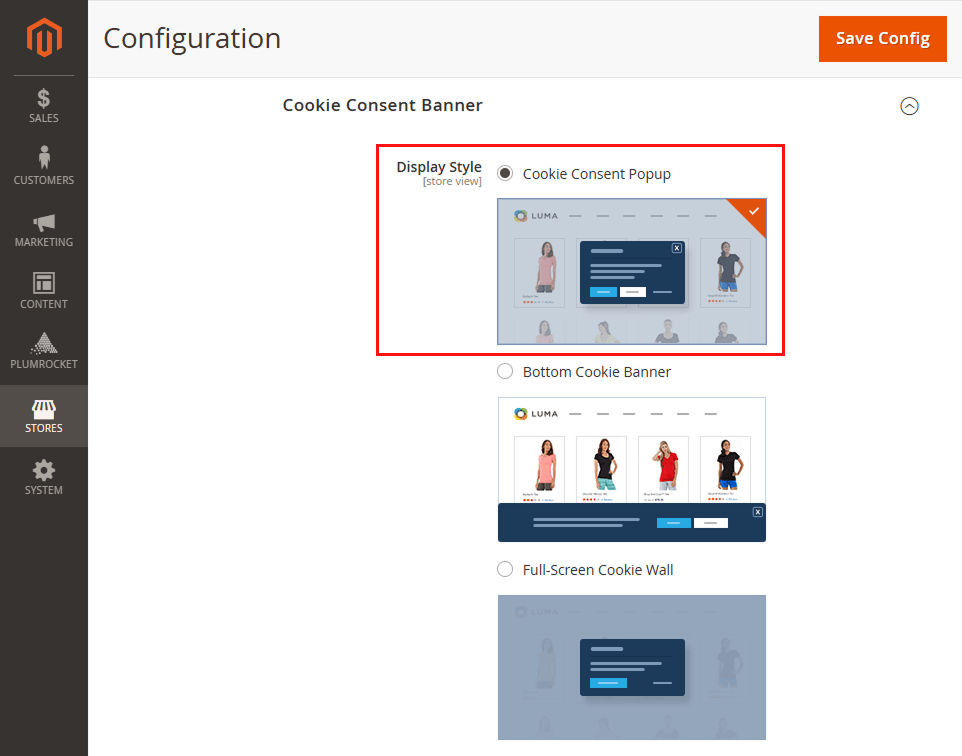
Customize the title, notice text, colors, and Accept / Decline / Settings buttons to match your brand. -
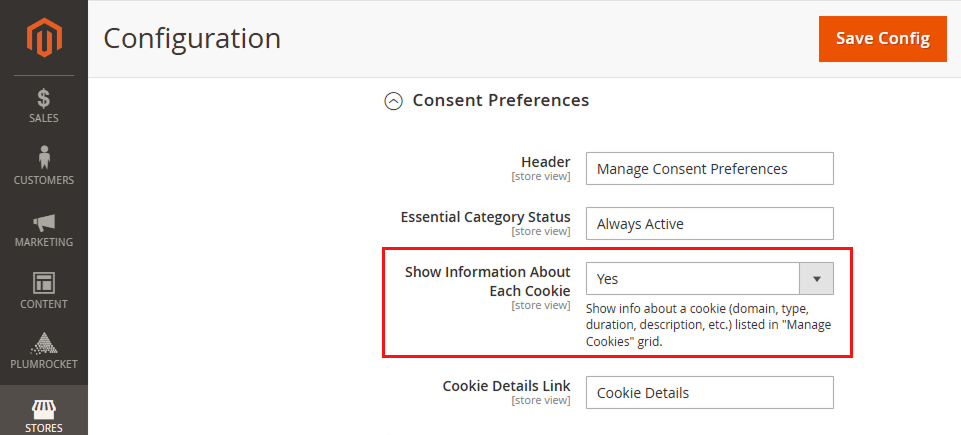
In the Cookie Settings Panel → Consent Preferences, enable Show Information About Each Cookie so visitors can review and toggle individual cookie categories (analytics, marketing, functional). This is what makes the popup GDPR-compliant — granular, informed consent.
-
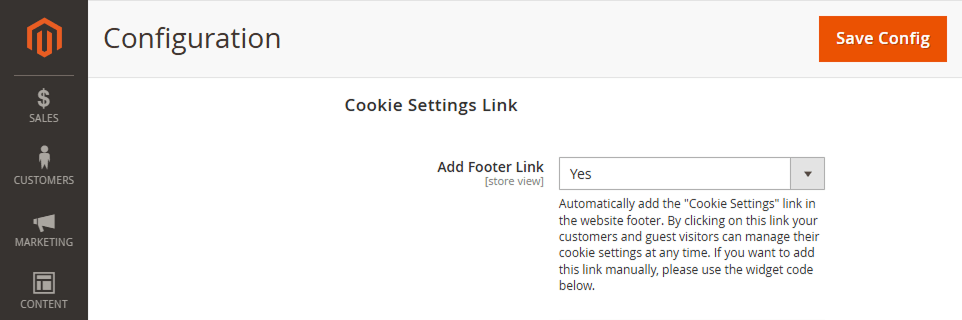
Set Add Footer Link to Yes to automatically add a "Cookie Settings" link in your footer, letting visitors revisit their preferences anytime.
-
Click Save Config and flush the cache.
The popup goes live instantly with full GDPR, CCPA, and Consent Mode v2 support — no code edits needed.
|