

Shoppers no longer rely only on Google or marketplaces to find products, they now ask ChatGPT for recommendations. This shift opens a powerful new opportunity for Magento 2 merchants: getting products discovered directly inside AI-driven conversations.
In this guide, we’ll explain how product feeds work for ChatGPT and how to feed product information using the ChatGPT Product Feed extension for Magento 2 stores.
ChatGPT Ads vs. Organic ChatGPT Shopping
Before diving into setup, it helps to know that “getting your products into ChatGPT” isn’t one single workflow. OpenAI uses the same base product feed schema for both commerce experiences and product-feed Ads, but each has different eligibility requirements and onboarding processes.
| ChatGPT Ads | Organic ChatGPT Shopping | |
| Purpose | Paid product promotion | Unpaid product discovery |
| Main eligibility field | is_ads_eligible | is_eligible_search |
| Submission format | SFTP, via an account on ChatGPT Ads Manager (ads.openai.com) | Direct feed submission is available to approved partners; some platforms, like Shopify, already integrate product data with ChatGPT automatically, and other merchants can apply for direct feed access |
| Supported by the Plumrocket extension | Yes, this is the extension’s current use case | Possible to assemble with the extension’s flexible tag system |
| Guaranteed placement | No | No |
In short: it’s one shared feed schema, not two separate files, but the eligibility flags, the submission process, and what’s actually supported today differ depending on which side you’re aiming for. The rest of this guide focuses on the path this Plumrocket ChatGPT Product Feed extension actually supports: preparing and submitting a feed for ChatGPT Ads.
How a Product Feed Prepares You for ChatGPT Ads
A product feed gives ChatGPT Ads the structured data it needs: titles, descriptions, prices, availability, and images. Once a feed is generated, uploaded, and processed, eligible products can appear as sponsored placements in relevant ChatGPT conversations.
When your data is properly structured and up to date:
- ChatGPT can understand and describe your products accurately
- Your ads render cleanly, with correct pricing and availability
- Your catalog stays current without manual re-exports
- You’re ready to test a channel most competitors haven’t touched yet
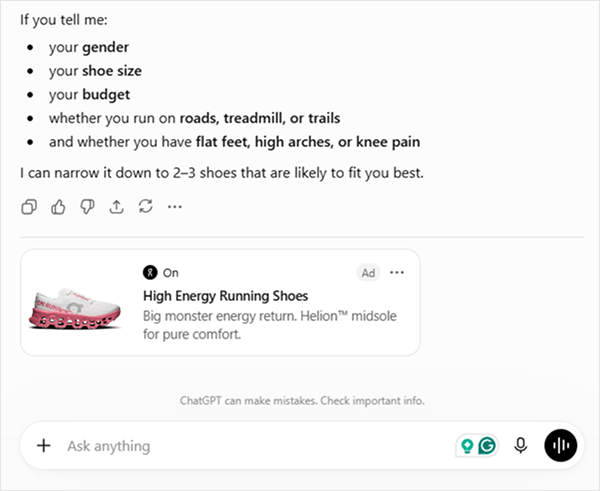
ChatGPT relies on structured product data to build ad placements, meaning only merchants with properly formatted feeds can participate.
One honest caveat: a feed doesn’t guarantee organic placement, that’s OpenAI’s call, not something any feed forces. The Data Feed Generator itself is built on a flexible, universal tag system covering the full OpenAI schema, so nothing about the underlying feed restricts it to ads only. What we currently build, test, and support with the ready-made ChatGPT template is ChatGPT Ads, since that’s the confirmed, effective use case right now.
How ChatGPT Uses Product Feed Data
Feeding product information to ChatGPT means providing data in a structured, accessible format that AI systems can read, understand, and reference. ChatGPT does not automatically crawl private databases, CMS platforms, or ecommerce catalogs. Instead, it relies on approved data sources, such as product feeds, APIs, or publicly available datasets.
The same underlying feed schema serves two purposes, depending on which eligibility flags are active and how the feed is registered. For ChatGPT Ads, the workflow this guide focuses on, the feed supplies catalog data that OpenAI turns into sponsored placements. Organic product discovery works from the same kind of data, but through a separate OpenAI onboarding process this extension doesn’t currently handle. Either way, for Magento 2 stores, a structured product feed is the reliable way to provide titles, descriptions, pricing, and inventory in a format OpenAI can process.
How to Create ChatGPT Product Feed in Magento 2
To create a shopping feed in Magento 2, you can use the Plumrocket ChatGPT Product Feed extension. Besides, the extension supports over 15 feed templates for top affiliate networks, including Google Shopping Feed, AWIN, eBay, and more.
This approach allows you to generate a structured, AI-readable product feed without manual data formatting or custom development.
Step 1: Create a New Product Feed
- Open the extension and navigate to the Manage Data Feed List.
- Click Add New Feed to create a new data feed.
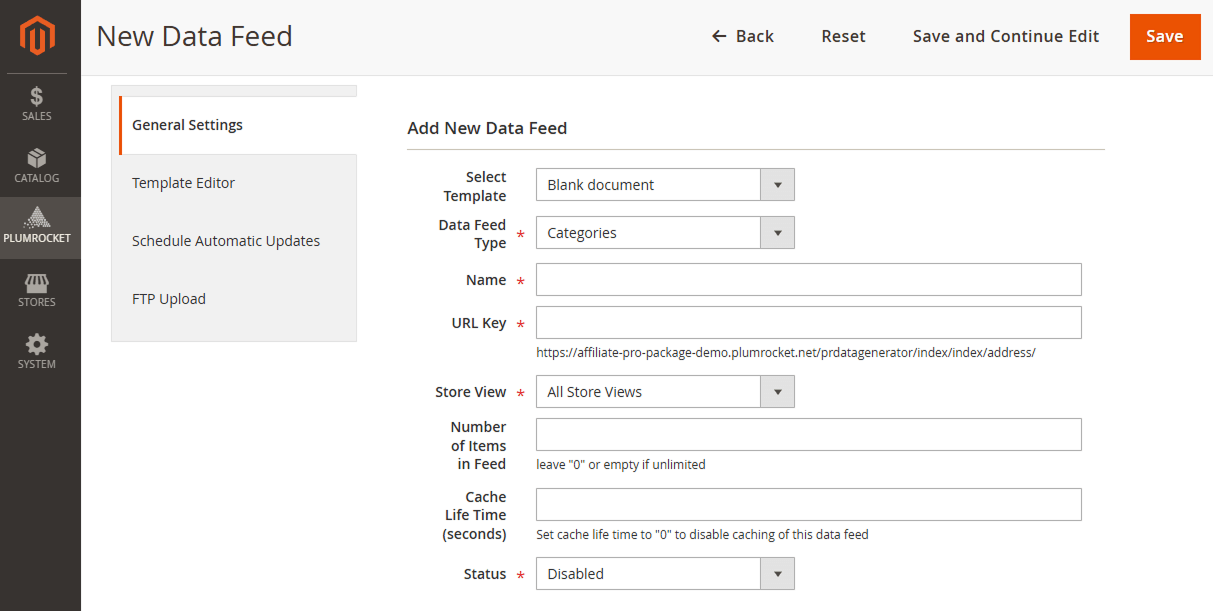
Step 2: Configure General Feed Settings
- In the General Settings section, select ChatGPT Product Feed as the feed template.
- Specify the feed filename and generated feed location.
- Enter a specific number to limit products in the feed. Leave the field empty or set it to 0 to include all products.
- Enable the feed to make it publicly accessible.
Step 3: Configure Feed Content Settings
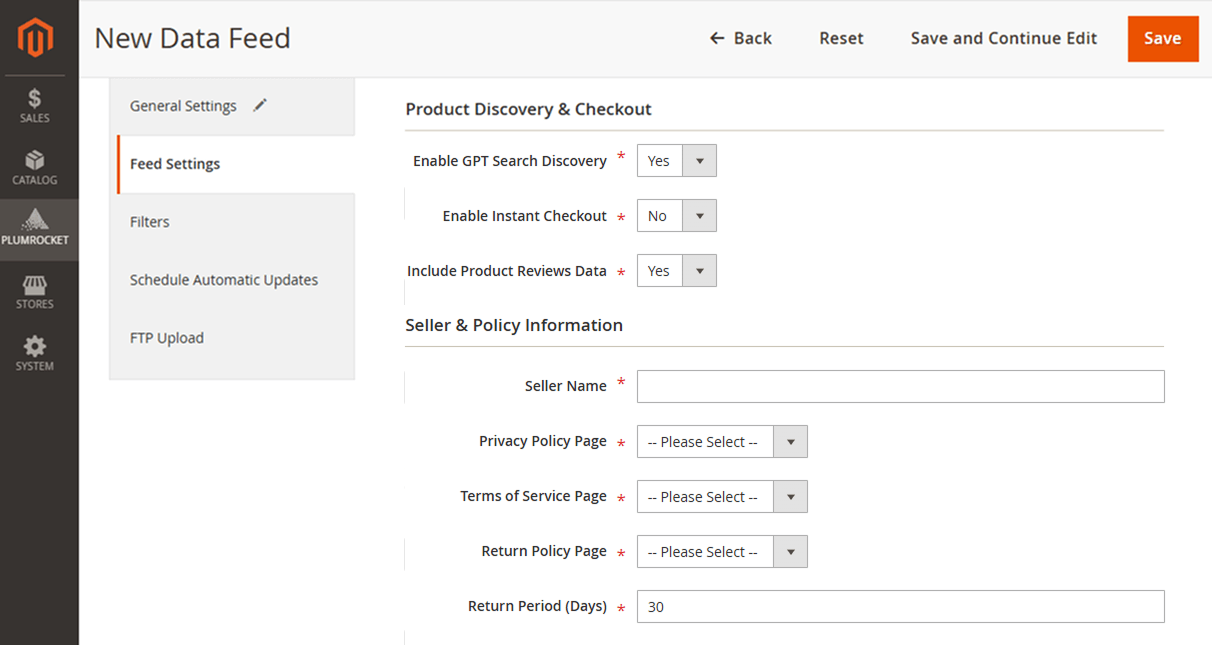
- In the Feed Settings section, choose which product data should be included, such as:
- Product Discovery & Checkout
- Seller & Policy Information
- Product Data Mapping
Step 4: Refining and Scheduling Your Feed
- In the Filter Settings, you can control which products appear in the feed.
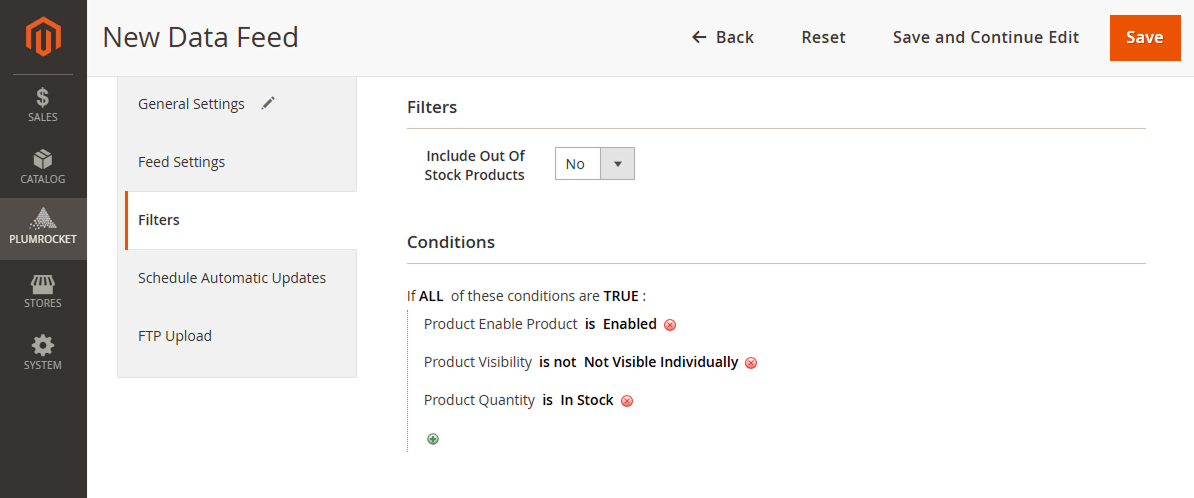
- Then, enable Automatic Updates in the scheduling section, to keep your ChatGPT feed up to date.
How to Submit Your Feed to ChatGPT Ads Manager
Generating the feed in Magento is one part of the process. Getting it into ChatGPT Ads requires setting up an account on OpenAI’s side too.
1. Prepare Your Product Feed for Magento 2 Store in the Required Format
ChatGPT relies on a structured feed to understand your catalog. These feeds include required and recommended attributes, as outlined in official documentation. OpenAI updates this spec periodically, so it’s worth checking against the current version before you submit.
Core Required Fields
OpenAI Flags:
is_eligible_search– Part of OpenAI’s shared schema for organic search visibility. The Plumrocket extension can populate this field, but doesn’t currently activate organic placement on its ownis_eligible_checkout– Allows direct purchase inside ChatGPT, requiresis_eligible_searchto be true. Instant Checkout itself is currently available only to approved partners (see the FAQ below)is_ads_eligible– The flag this extension is built around: set it to true and the product becomes eligible for a ChatGPT Ads placement
Basic Product Data:
item_id– Unique merchant product IDtitle– Product titledescription– Full product descriptionurl– Product detail page URL
Item Information:
brand– Product brand (required)product_category– Category path (optional, but improves matching)weight– Product weight with unit (optional)
Media:
image_url– Main product image URL
Price & Promotions:
price– Regular price with ISO 4217 currency code
Availability & Inventory:
availability– Stock status (in_stock, out_of_stock, pre_order, backorder, unknown)
Merchant Info:
seller_name– Seller nameseller_url– Seller page URLseller_privacy_policyandseller_tos– Required ifis_eligible_checkoutis true
Returns:
return_policy– Return policy URLreturn_deadline_in_days– Days allowed for return (positive integer)
Variants (recommended if you’re submitting variant products, like different sizes or colors):
group_idandlisting_has_variations– Group related SKUs under one canonical listing. Without this, OpenAI treats each variant as its own separate product
Geo Tagging:
target_countriesandstore_country– Required, using ISO 3166-1 alpha-2 country codes
You can streamline this process with the ChatGPT Product Feed extension for Magento 2, which keeps your feed aligned with OpenAI’s current spec as it evolves.
2. Register for ChatGPT Ads Manager
To actually deliver your feed to OpenAI, you need an account on ChatGPT Ads Manager, not a general ChatGPT merchant application.
- Sign up at ads.openai.com with an OpenAI account.
- Complete onboarding and business verification.
- Wait for account approval. OpenAI doesn’t publish a review timeline, so plan for anywhere from a few days to a few weeks.
- Once approved, get your SFTP connection details from Ads Manager and connect them to the Plumrocket extension’s automatic feed updates.
If what you actually want is organic ChatGPT Shopping access rather than ads, that’s a separate application (chatgpt.com/merchants) with its own onboarding. Direct product-feed onboarding for organic search is available to approved partners. Some commerce platforms, like Shopify, already integrate product data with ChatGPT automatically, while other merchants apply for direct feed access instead.
Conclusion
ChatGPT represents a real shift in how shoppers discover products, and ChatGPT Ads is currently the confirmed, working way to put your Magento catalog in front of that audience.
The ChatGPT Product Feed extension for Magento 2 handles the technical side: generating an OpenAI-compatible feed and keeping it current, so you can focus on the campaign rather than the export.
Get your feed ready, then set up your Ads Manager account to start testing.
Frequently Asked Questions (FAQ)
To feed information to ChatGPT, you must provide structured, publicly accessible data that ChatGPT is authorized to read. For ecommerce stores, this is typically done through a product feed. Magento 2 merchants can automate this process using the Plumrocket ChatGPT Product Feed extension.
Not manually in the sense of re-uploading it yourself each time. Once your feed is generated, you connect it to ChatGPT Ads Manager over SFTP, and the extension’s automatic updates keep the underlying file current so Ads Manager always pulls fresh data.
No. OpenAI scaled back the broad Instant Checkout rollout in March 2026, in-chat purchasing is now limited to approved partners with their own separate application, while most merchants get routed to their own site or a dedicated in-ChatGPT app instead. A compliant feed alone doesn’t get you into it, and this extension doesn’t handle that application.
A ChatGPT feed makes accurate product data available for ad placement inside AI-driven conversations. Results depend on campaign setup, budget, relevance, and demand. Early access can mean less competition, but nothing here guarantees impressions, clicks, or sales.
Yes, that’s the primary use case this extension is built for. Set the is_ads_eligible flag to true and connect the feed to your Ads Manager account over SFTP, as described above.
As of this writing, ChatGPT Ads Manager is open to businesses based in Australia, Canada, Japan, South Korea, New Zealand, the United Kingdom, and the United States, with more countries added as the rollout continues.
You’ll need a verifiable legal business entity to complete account verification. There’s no minimum ad spend and no requirement to be on any particular ecommerce platform, Magento stores qualify the same as anyone else, as long as the feed meets OpenAI’s format requirements. Every account still goes through OpenAI’s approval process, and products must comply with OpenAI’s Ads Policies, before campaigns can launch.
