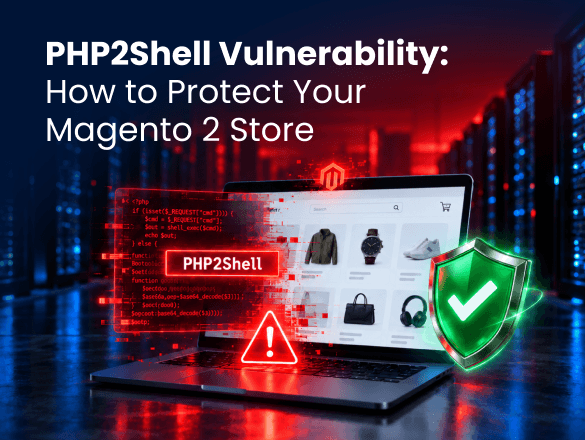
PHP2Shell Vulnerability: How to Protect Your Magento 2 Store
A critical PHP vulnerability has put Magento stores at risk, and attackers are already attempting to exploit it. Sansec have demonstrated unauthenticated remote code execution against Magento 2.4.9, while Cloudflare detected attack traffic before the official security fixes were released.
The issue involves two vulnerabilities, CVE-2026-109618 and CVE-2026-109619, collectively known as PHP2Shell. Both carry a critical CVSS v4.0 score of 9.2 and can allow attackers to execute code on vulnerable servers without logging in.
The scale of the threat is significant. According to W3Techs, PHP powers nearly 70% of websites whose server-side programming language is known. With exploit details publicly available, the PHP2Shell vulnerability requires immediate attention from Magento store owners.
Critical PHP security alert
CVSS 9.2| Security flaws | CVE-2026-109618 and CVE-2026-109619 |
|---|---|
| Magento impact | Remote code execution demonstrated against Magento 2.4.9 |
| Fixed PHP releases | 8.5.12, 8.4.27, 8.3.36, 8.2.35 |
| Required action | Patch PHP immediately and verify your server environment |
| Disclosed | October 21, 2026 |
What Is the PHP2Shell Vulnerability?
PHP2Shell refers to two critical PHP remote code execution (RCE) vulnerabilities caused by flaws in how PHP manages memory. A PHP RCE attack can allow an attacker to run malicious code on a vulnerable server without authentication.
- CVE-2026-109618: A flaw in PHP’s out-of-memory handling.
- CVE-2026-109619: A flaw involving references to memory that has already been released.
These issues affect PHP installations dating back to version 5.4, including web-serving environments using PHP-FPM, Apache with mod_php, php-cgi, FrankenPHP, and LiteSpeed. The PHP security team considers Apache mod_php particularly exposed because exploitation can occur before application code runs.
Cloudflare also observed exploitation attempts before the official disclosure, and technical details are now publicly available. This makes timely patching especially important for publicly accessible PHP applications.
How Does PHP2Shell Affect Magento 2 Stores?
Magento relies on PHP to process storefront requests, manage customer accounts, handle orders, and communicate with connected services. Successful exploitation of this PHP code execution vulnerability could give attackers unauthorized access to the server, with consequences depending on its configuration and permissions.
For eCommerce businesses, potential risks include exposure of customer and order information, stolen integration credentials, malicious changes to application files, and storefront disruption.
PHP2Shell is not a vulnerability in Magento itself or in Plumrocket extensions. Updating Magento modules will not fix the underlying issue, and even a fully updated Magento installation can remain exposed if its server runs a vulnerable PHP version.
Which PHP Versions Are Affected?
The PHP2Shell vulnerability affects PHP installations dating back to version 5.4. On October 21, 2026, the PHP development team released fixes for four supported PHP branches.
| PHP branch | Fixed release | Recommended action |
|---|---|---|
| PHP 8.5 | 8.5.12 | Update to the fixed release |
| PHP 8.4 | 8.4.27 | Update to the fixed release |
| PHP 8.3 | 8.3.36 | Update to the fixed release |
| PHP 8.2 | 8.2.35 | Patch now and plan an upgrade |
| PHP 8.1 or older | No regular upstream update | Check for vendor patches and plan an upgrade |
For older PHP branches, some Linux distributions and support vendors provide backported security fixes. However, these are temporary measures rather than replacements for moving to a supported PHP version.
Magento compatibility also matters. Adobe identifies PHP 8.1 as end-of-life for Magento 2.4.4, 2.4.5, and 2.4.6 installations using that PHP branch. Stores running Magento 2.4.6 with PHP 8.2 face another deadline when PHP 8.2 reaches end of life on December 31, 2026.
If your store still runs PHP 8.1, there is no regular upstream PHP security release available for that branch, only source backports or vendor-provided fixes. These buy time, but upgrading Magento to support a maintained PHP version should be the long-term goal.
Need help securing your Magento store?
Our developers and DevOps engineers can check which PHP version your store runs, apply the security update, and test checkout and integrations afterward.
How to Fix PHP2Shell: Update Your PHP Version
The only complete fix for PHP2Shell is to install a patched PHP release. Follow these three steps to apply the security update and ensure your Magento store remains secure and functional.
Check Your Environment
Identify the PHP version serving your Magento website and confirm whether the necessary security patch has been applied. If you have SSH access, run php -v, but remember that the command-line version may differ from the PHP runtime serving your storefront.
Before updating, back up your store and database, then verify compatibility with your Magento version and installed extensions. Ask your hosting provider to confirm the active PHP version and check other environments, including staging.
Apply the Security Fix
Install the appropriate patched PHP release or security update provided by your hosting vendor. If you use managed hosting, ask your provider to confirm that the patch has been applied.
Restart PHP-FPM or Apache, as appropriate, to ensure the patched runtime is active. The update must take effect in the processes handling web requests, not just in the installed packages.
Test and Review Security
Check that your storefront, customer accounts, checkout, payment and shipping integrations, and background processes work correctly. Review Magento and server logs for errors, especially if you’ve moved to a different PHP branch.
Also check for signs of compromise, including unusual requests, unexpected file changes, and suspicious administrator or API activity. If unauthorized access is suspected, involve your security team and rotate potentially exposed credentials after securing the environment.
What If You Can’t Update PHP Immediately?
If you cannot patch your Magento server right away, the PHP security team recommends several temporary measures to reduce exposure to both vulnerabilities. These precautions do not eliminate the security risks and should only be used until the update is applied.
Your hosting provider or developer can consider the following:
- For CVE-2026-109618: Remove PHP’s memory limit (
memory_limit=-1) and restrict request and upload sizes at the server level. These changes can affect server availability and Magento functionality. - For CVE-2026-109619: Disable
session.upload_progress.enabledand restart PHP workers. PHP 8.5 also requires disablingfatal_error_backtracesas part of the documented temporary mitigation. - Temporarily take the store offline: If necessary, stop PHP and serve a static maintenance page directly from the web server. Magento’s built-in maintenance mode does not protect against PHP2Shell.
These measures require careful server configuration and provide only partial protection. For complete instructions and limitations, refer to the official PHP security advisory.
Can Cloudflare WAF Protect Against PHP2Shell?
Cloudflare has deployed Web Application Firewall (WAF) protections to help block PHP2Shell attacks. According to Cloudflare’s announcement, these protections were deployed before public disclosure and are available across plans with WAF enabled.
- Free plan: Protections are enabled automatically through the Cloudflare Managed Free Ruleset.
- Pro, Business, and Enterprise: Confirm that the Cloudflare Managed Ruleset is deployed in block mode.
Cloudflare only filters traffic that passes through it. If your origin server’s IP address is directly reachable, attackers can bypass Cloudflare’s WAF entirely.
Cloudflare has also observed attackers modifying requests to evade its protections. A firewall therefore provides an additional layer of defense, but updating PHP remains essential.
Keep Your Magento Store Protected
With working exploits publicly available and attack attempts already observed, patching PHP should be your immediate priority. Once your server is secured, check whether your Magento version can continue running on a supported PHP branch or whether an upgrade is needed.
Running a PHP version with no fix?
We’ll handle the full PHP upgrade, including the Magento upgrade it may require, extension compatibility, and testing before anything goes live.
Frequently Asked Questions (FAQ)
Is Magento 2 vulnerable to PHP2Shell?
Yes, Magento stores running affected PHP versions can be vulnerable, even when their application code is up to date. The issue exists in the underlying PHP runtime rather than in Magento itself.
My store runs Magento 2.4.6. Is patching PHP enough?
Patching PHP addresses the immediate vulnerabilities, but it does not resolve long-term support concerns. If your store uses PHP 8.1, there is no regular upstream security release available, while PHP 8.2 reaches end of life in December 2026. Upgrading Magento may be necessary to maintain compatibility with supported PHP versions.
How do I know whether my Magento store has already been compromised?
Running an affected PHP version does not automatically mean your store has been compromised. Review server logs, unexpected file changes, suspicious administrator activity, and unusual API requests. If you identify signs of unauthorized access, arrange a security investigation.
Is Cloudflare enough to protect my store?
No. Cloudflare WAF can block known exploitation attempts, but attackers may bypass its protections if the origin server is directly accessible. The underlying PHP vulnerabilities must still be patched.