Best Extensions to Hide Prices in Magento 2 (2026)

B2B stores, wholesalers, distributors, and trade suppliers have always had a pricing problem. Your prices are rarely fixed — they depend on the customer, the order size, the relationship, and sometimes the region or sales channel. Showing a single public price often creates more problems than it solves.
There’s also the competitor issue. Public pricing gives competitors a free way to monitor your margins, undercut offers, and track changes across your catalog.
Magento 2 Hide Price extensions solve both problems. They let you control who sees prices, where prices are hidden, and what customers see instead — whether that’s a login prompt, a request-a-quote form, or a custom call-to-action button.
In this guide, we’ll take a look at the best Magento 2 Hide Price extensions based on flexibility, workflow management, targeting options, and overall fit for different types of ecommerce stores.
What Is a Magento 2 Hide Price Extension?
A Magento 2 Hide Price extension hides product prices on storefront pages and replaces the Add to Cart button with a customizable alternative — a custom message, a “Login to See Price” link, a popup quote form, or a redirect to a contact page. Rules can be applied by product, category, customer group, store view, date range, and (in some extensions) country.
The default Magento 2 platform does not support hiding prices natively, which is why these third-party modules exist.
Why Merchants Hide Prices in Magento 2
- B2B pricing flexibility — pricing varies by contract, volume, or customer relationship
- Competitor protection — public pricing exposes margin strategy
- MAP policy compliance — manufacturers may restrict advertised pricing
- Lead generation — quote requests create direct sales conversations
- Member-only pricing — prices visible only to approved customers
- Regional pricing control — different visibility rules by market or distributor
5 Top Hide Price Extensions for Magento 2
| Extension | Price | Main Strength | Best For | |
|---|---|---|---|---|
| 1 | Plumrocket Hide Price | $129 | Granular rules and built-in inquiry management | B2B stores needing flexible hide-price workflows |
| 5 | Mageplaza Hide Price | $149 | Price-request analytics and visibility control | Stores focused on lead generation and reporting |
| 2 | Amasty Hide Price | $169 | Simple customer-group-based price control | Merchants wanting straightforward visibility management |
| 7 | BSS Commerce Hide Price | $79 | Detailed customer and product targeting | Stores needing customer-specific pricing visibility |
| 6 | FMEextensions Hide Price & Add to Cart Button | $99.99 | Country-based rules and flexible conditions | International and multi-region stores |
Plumrocket Magento 2 Hide Price Extension
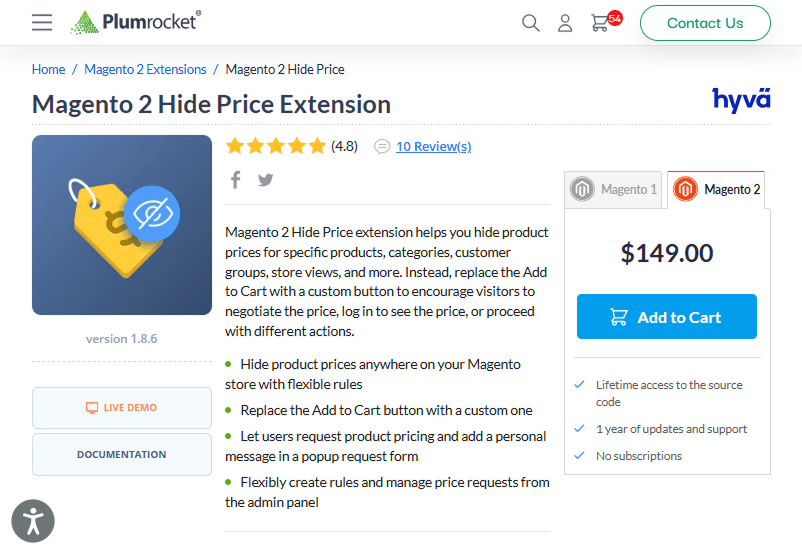
Price: $129/year
Plumrocket focuses on flexibility and workflow control. The extension allows merchants to create hide-price rules for products, categories, customer groups, store views, and other conditions while managing price requests directly from the Magento admin panel.
Key features
- Flexible rule-based price visibility control
- Replace Add to Cart with custom CTA buttons
- Popup request form with customer message support
- Built-in request management from the admin panel
- Hide prices across multiple storefront areas
Best for: stores needing flexible pricing, visibility workflows, and inquiry handling.
Mageplaza Magento 2 Hide Price Extension
Price: $149
Mageplaza positions its extension around customer engagement and inquiry tracking. The module focuses on hiding prices dynamically while giving merchants visibility into customer price requests and interactions.
Key features
- Rule-based automatic price hiding
- Customer-group-based visibility control
- Price request reporting and analytics
- Admin email notifications
- Guest-specific hide-price functionality
Best for: Stores using hide-price workflows as a lead generation channel.
Amasty Magento 2 Hide Price Extension
Price: $169/year
Amasty takes a simpler visibility-management approach focused on customer groups and catalog control. The extension allows merchants to hide prices and purchasing actions while customizing customer-facing messaging and redirects.
Key features
- Hide prices for products and categories
- Disable Add to Cart, Wishlist, and Compare
- Replace Add to Cart with custom buttons
- Customer-group-based visibility control
- Redirect customers to custom pages
Best for: Merchants wanting straightforward product and category visibility control.
BSS Commerce Magento 2 Hide Price Extension
Price: $79
BSS Commerce focuses heavily on targeting flexibility. In addition to products, categories, and customer groups, the extension supports rules for specific customers, making it a practical option for stores with individualized pricing visibility requirements.
Key features
- Hide prices for products, categories, groups, and individual customers
- Custom CTA text and redirect URLs
- Customer-specific visibility management
- REST API support
- Hyvä compatibility support
Best for: Stores needing customer-specific hide-price control at a lower price point.
FME Extensions Hide Price & Add to Cart Button
Price: $99.99
FME emphasizes flexible conditional rules and regional targeting. The extension supports country-based visibility conditions, scheduled rules, and inquiry handling directly from the Magento backend.
Key features
- Country-based visibility rules
- Flexible conditional hide-price logic
- Quote form and backend inquiry handling
- Email notifications for merchants and customers
- Scheduled visibility rules by time period
Best for: International stores with region-specific pricing visibility strategies.
Frequently Asked Questions (FAQ)
Does Magento 2 have a built-in hide price feature?
No. Magento 2 (Open Source, Adobe Commerce, and Adobe Commerce Cloud) does not include a native hide-price feature. A third-party extension is required to hide product prices, disable the Add to Cart button conditionally, or replace prices with custom messages.
Can I hide prices only for guest users and show them to logged-in customers?
Yes. All five extensions reviewed support customer group rules, including the “NOT LOGGED IN” group. You can show prices to registered customers and hide them from guests, typically with a “Log in to see price” link that redirects to your login or registration page.
What’s the difference between Hide Price and Call for Price extensions?
Hide Price and Call for Price extensions perform the same function — hiding the price and replacing the Add to Cart button. The naming reflects vendor marketing perspective: Hide Price is store-owner framed, Call for Price is customer-framed. Some vendors sell them as separate products, where Hide Price is the basic version and Call for Price includes the quote form and request management features.
![Ecommerce Product Badges: Examples from Top Retailers [2026]](https://plumrocket.com/blog/wp-content/webpc-passthru.php?src=https://plumrocket.com/blog/wp-content/uploads/2024/07/blog-post-ecommerce-product-badges-2.png&nocache=1)